
Tag: ShowUsers
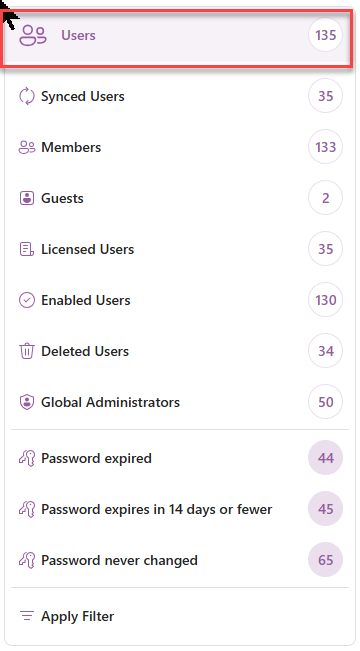
ShowUsers launches the All Users module.
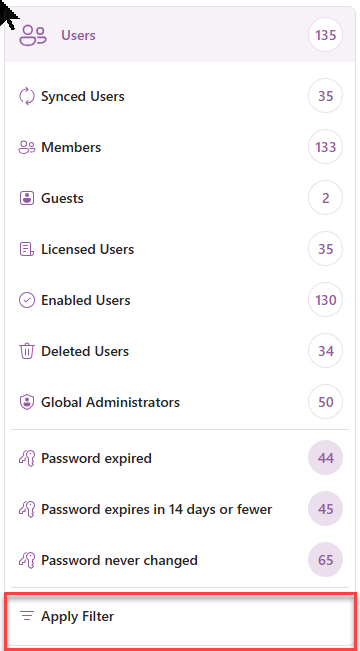
With the Filter attribute, the Filtered list of Users module is launched.
<ShowUsers/>
Tag Attributes
|
Attributes |
Attributes Value |
Comment |
|---|---|---|
|
True / False |
Defaults to True |
|
|
Filter |
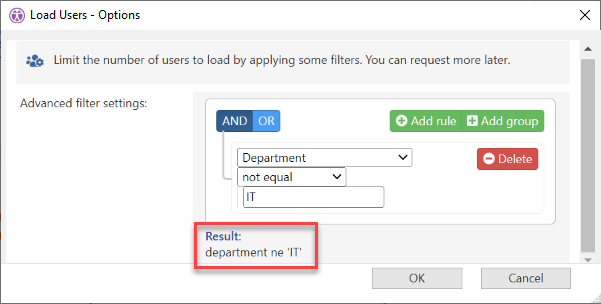
Filter string for the Options dialog |
As seen in Filter editor Result -- see below |
|
FrameId |
Unique identifier of the frame |
Reuse the frame if it exists already, create a new one if it doesn’t. |
|
RefreshIfOutdated |
true/false parameters (defaults are False) |
Refresh data if cache is outdated when opening Users module |
|
AdditionalInfo |
true/false parameters (defaults are False) |
Reload ‘Additional Info’ for users updated by refresh action while opening Users module |
|
Mailbox |
true/false parameters (defaults are False) |
Reload ‘Mailbox Info’ for users updated by refresh action while opening Users module |
|
CSA |
true/false parameters (defaults are False) |
Refresh ‘Custom Security Attributes’ for users updated by refresh action while opening Users module |
|
DirectoryExtensions |
true/false parameters (defaults are False) |
Refresh ‘Extensions Attributes’ for users updated by refresh action while opening Users module |
Example Script
<ytriaAutomation>
	<ShowUsers Filter="department ne 'IT'" FrameId="users_1">
	...
	</ShowUsers>
</ytriaAutomation>