
Param: AdditionalGroupColumns
Value: Semicolon separated column ids.
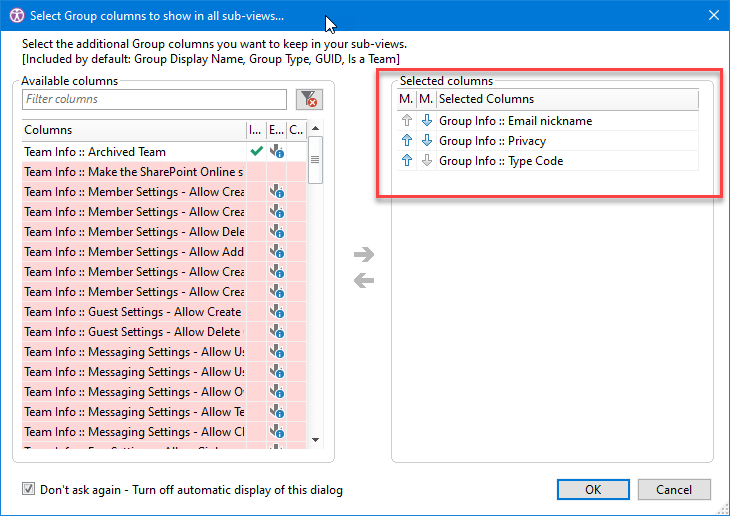
The AdditionalGroupColumns parameter allows one to override the saved Group columns selection created with the following dialog.
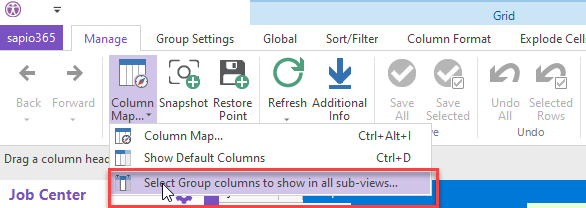
XML
<SelectedShowEventsGroups newframe="True" AdditionalGroupColumns ="mailNickname;visibility;groupTypes"/>
This is only available for compatible modules (like Groups sub-modules).
Detailed Description
The selected columns appear in the sub module:

In order to achieve this, use the AdditionalGroupColumns attribute with semi-colon-separated uniqueIDs.
Example Script
XML
<! -- Get the events data -->
<ShowGroups>

	<Select lines="All"/>
	<SelectedShowEventsGroups newframe="True" AdditionalGroupColumns ="mailNickname;visibility;groupTypes"/>

</ShowGroups>