
Tag: ShellExecute
The action ShellExecute will permit Windows to execute external operations upon reaching this script line.
Detailed Description
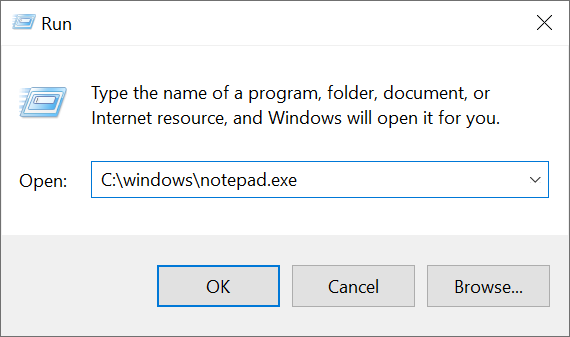
ShellExecute operates like the Windows Run utility.
Tag Attributes
|
Attributes |
Attribute Values |
Value Description |
|---|---|---|
|
FilePath |
User definable |
The file path of the operation to execute - Required |
|
Parameters |
User definable |
Command-line parameters passed to the program - Optional |
|
ExecWait |
TRUE / FALSE (Defaults to FALSE) |
TRUE waits for the program to end before the script goes on - Optional |
|
DisablePathCheck |
TRUE / FALSE (Defaults to FALSE) |
TRUE skips the check that FilePath exists, e.g. for a URL or a program found through PATH - Optional |
FilePath will validate if both the folder path is correct and the file itself exists.
Example Scripts
<ShellExecute FilePath = "C:\windows\notepad.exe"/>
<ytriaAutomation>
	<ShellExecute FilePath="C:\windows\notepad.exe"/>
</ytriaAutomation>
In the script above, ShellExecute will trigger the execution of "C:\Windows\notepad.exe" externally.