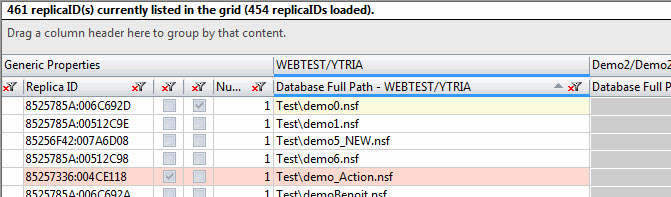
The main grid in replicationEZ lists Replica IDs and associated replicas found on any servers that are currently open in the tool. As its name suggests, the main grid in replicationEZ uses a grid-type inferface ; this means it offers the standard grouping, filtering, customization and exportation options available in all Ytria tools' grids.
Using replicationEZ's main grid
The most basic use of the main grid is to quickly see which servers contain replicas of a given database. If you're already familiar with grid-type inferfaces in Ytria tools, the main screen in replicationEZ introduces a slightly different way of dealing with columns. This screen features a semi-fixed, top-level 'parent header' under which related column headers appear.
When you select files in the Databases panel, their associated Replica IDs will be under the 'Generic Properties' parent header in the main screen; it's the leftmost header by default.
The main grid also lists the servers that are loaded in the Databases panel. Replicas of any selected databases are listed under a parent header with the name of the server on which they reside.
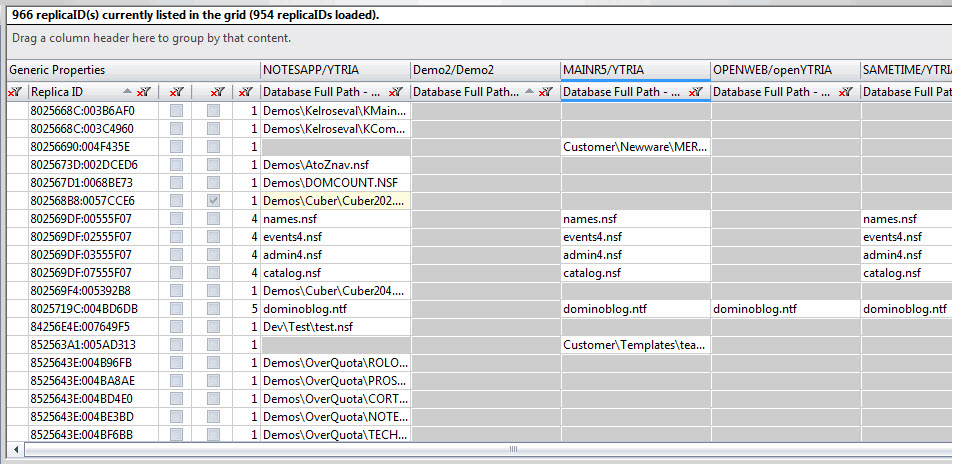
The main grid (or replicas grid) in replicationEZ
Generic Properties parent header
The main grid has a special section on its left-hand side called 'Generic Properties.' The following columns are shown in this section:
Server parent headers
The main grid also displays all the replicas that are associated with the Replica IDs shown in Generic Properties. A parent header for each server open in replicationEZ will be shown. 'Database Full Path', which shows the path to the given server's replica of the database, is always displayed under this parent header. If no replica exists, the cells will be grayed out.
Grid Data Composition
In addition to 'Database Full Path' column, you have the option of adding up to five columns of database property information under each server's parent header. Simply check the boxes for the properties you wish to see in the Grid Data Composition panel and click Apply.
|
NOTE |
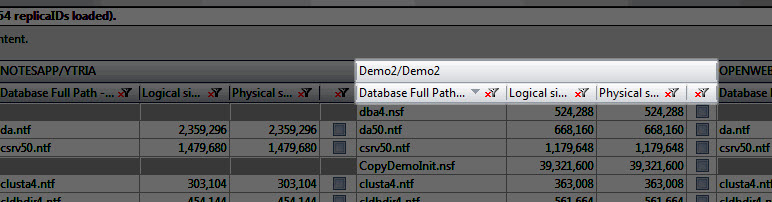
If you're already familiar with the grid-type dialogs in other Ytria tools, this screen introduces a new twist: semi-fixed, top-level parent headers. This approach was necessary because the grid needs to show database paths for each server plus up to five database properties (if any are chosen in the Grid Data Composition panel). The image below shows how this 'parent header' keeps the database path and its properties together for each server.
|
|---|
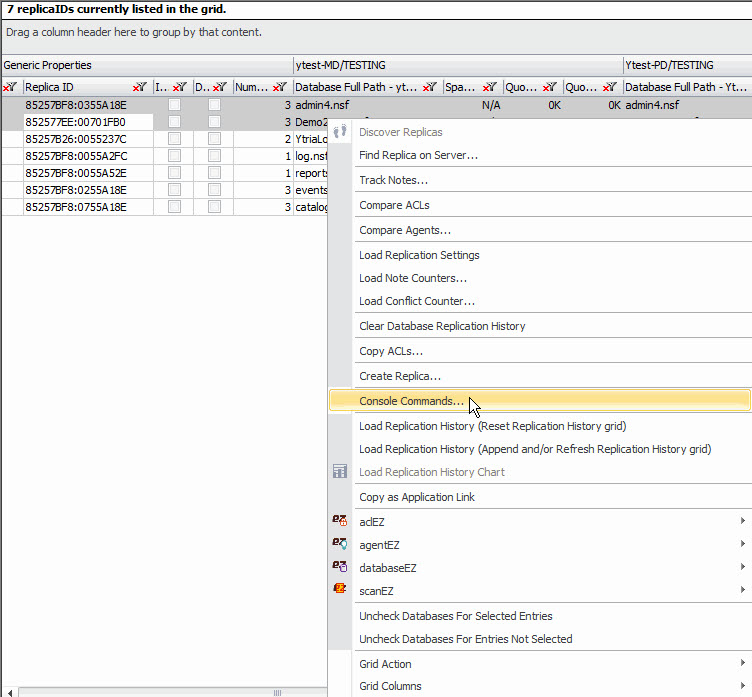
Right-click Menu Options in replicationEZ's Main Grid
Console Commands
This Console Commands interface allows you to send Domino command lines directly from within replicationEZ.
|
TIP |
Selecting multiple replica IDs: Note that you can select by ctrl+left-clicking multiple replica IDs at once. |
|---|
Console Commands panel options:
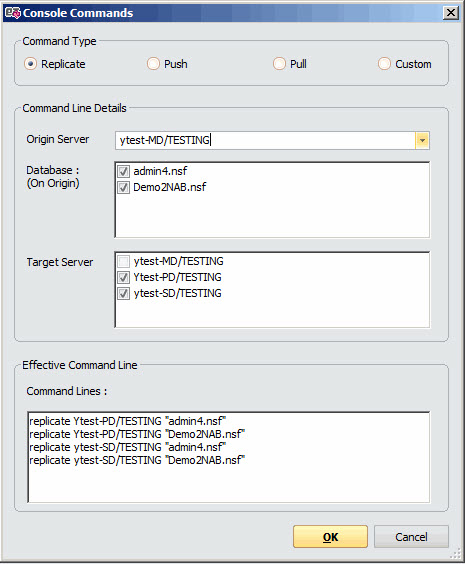
Command Type:
Command Line Details :
Effective Command Line:
|
TIP |
A list of Domino server commands and syntax can be found here. |
|---|
Color coding used in the Main Grid
Row Colors
Cell Colors