-
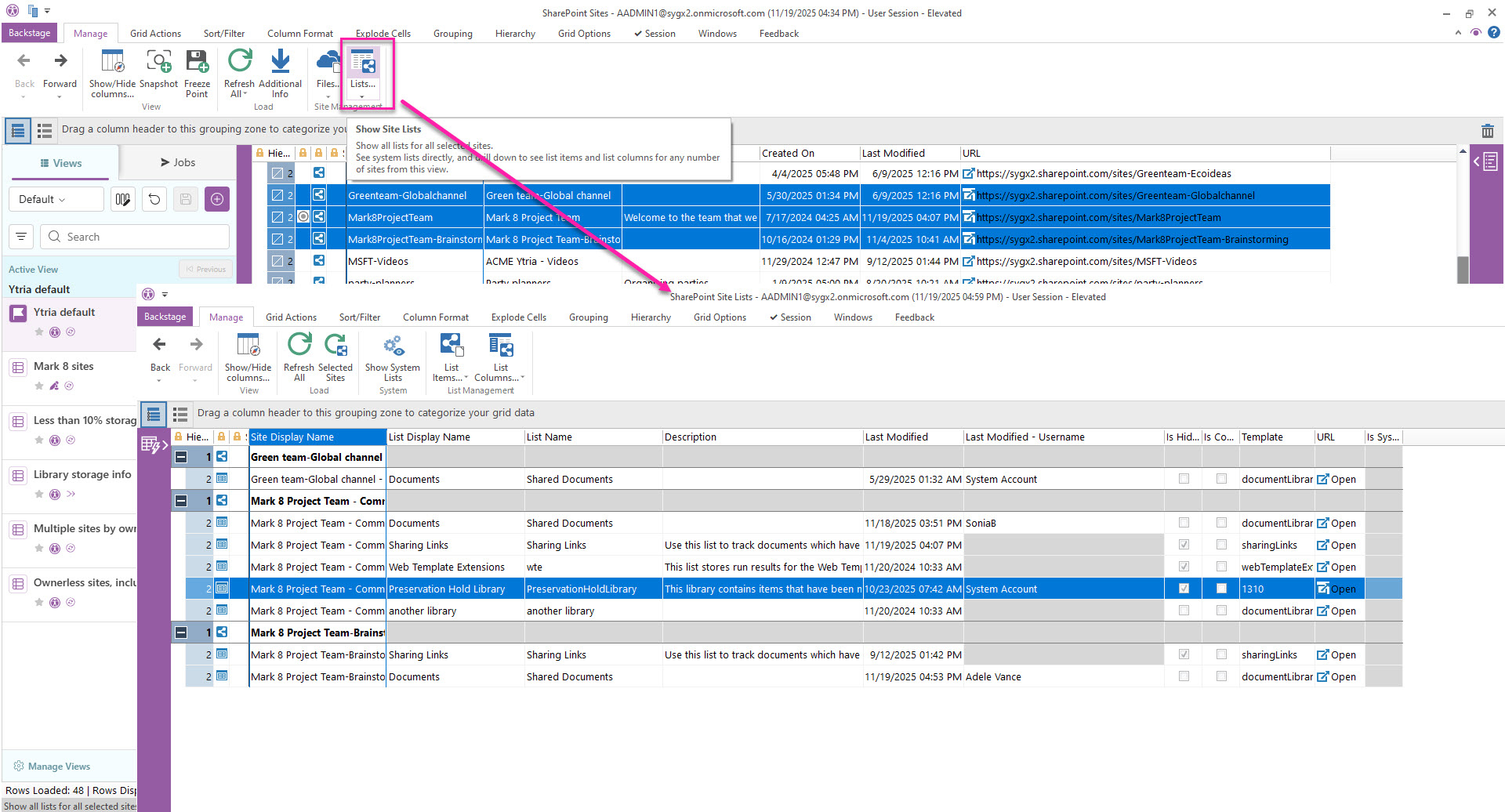
From the SharePoint Sites view, select sites and retrieve information about their lists clicking on the "Lists" button.
-
In the resulting Files view, you will see each sites' files listed in within their folder hierarchy where you can expand or collapse folders.
From there, you can select lists to retrieve their items and columns.
Get list items and columns
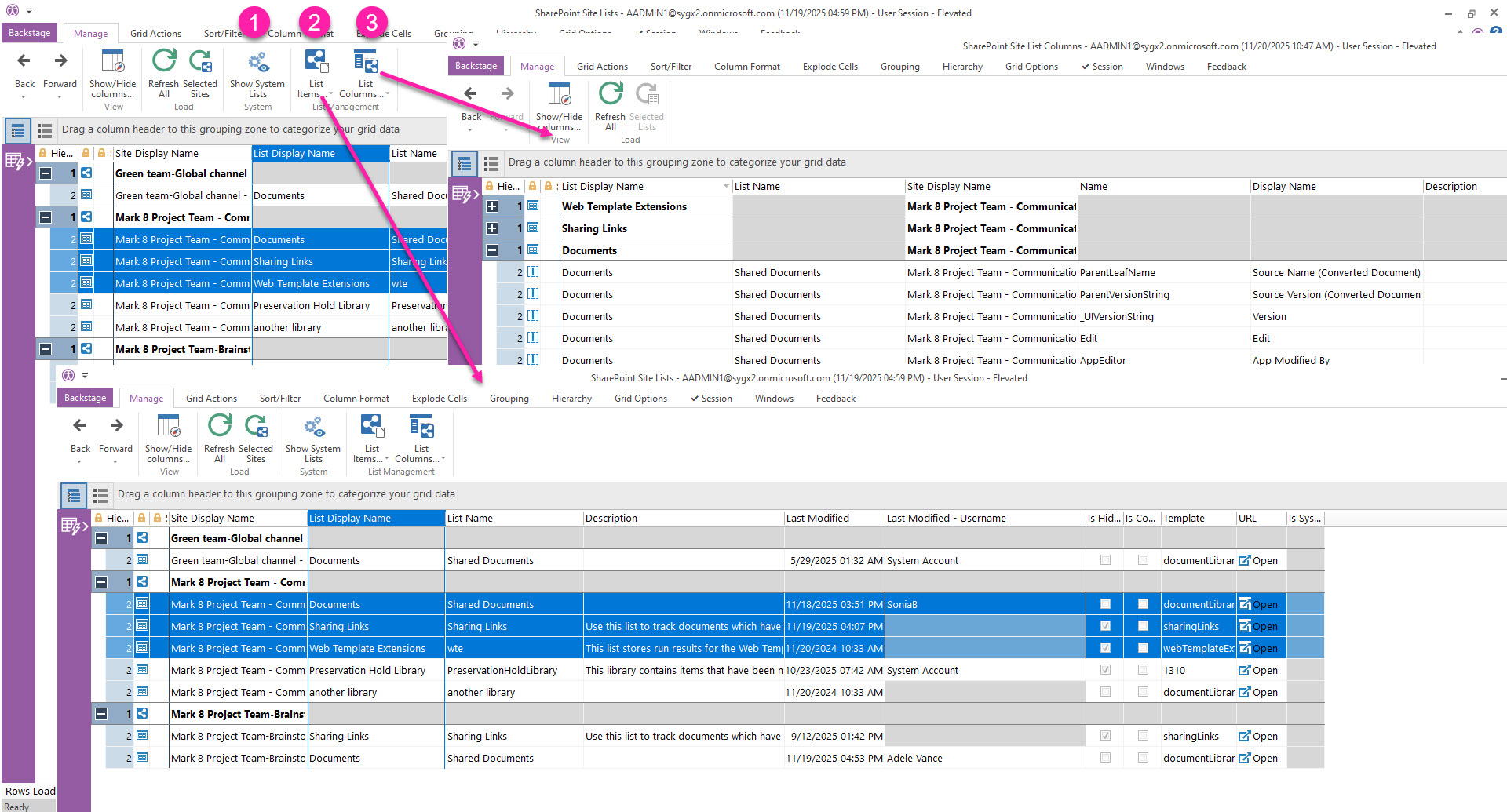
In the Lists view, you can:
-
Show System Lists which are hidden by default.
-
See the list items and their properties of selected lists by clicking ‘List Items’.
-
See column information of selected lists by clicking ‘List Columns’.