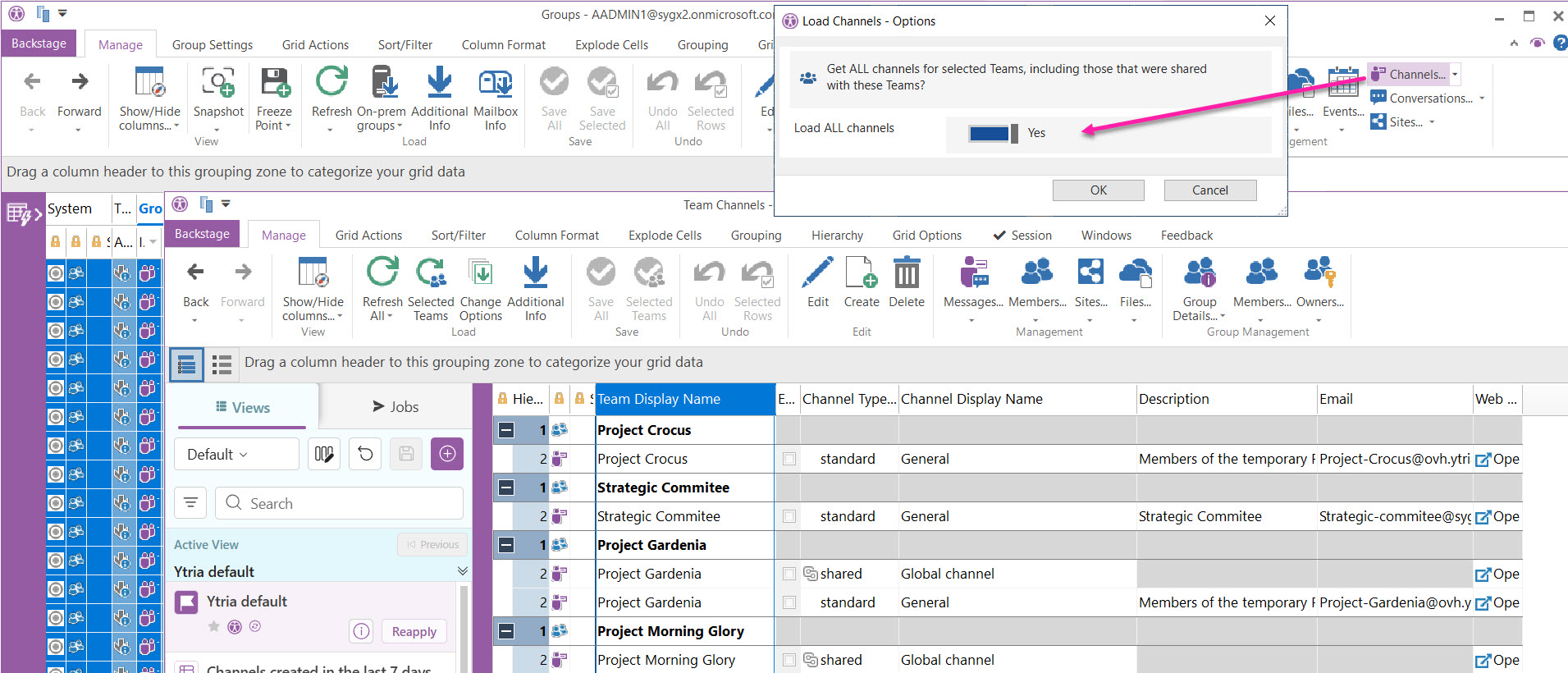
From Groups click Channels to get a list of channels for the Teams you select.
Set Load ALL channels to Yes to include internal and external channels that were shared with those Teams
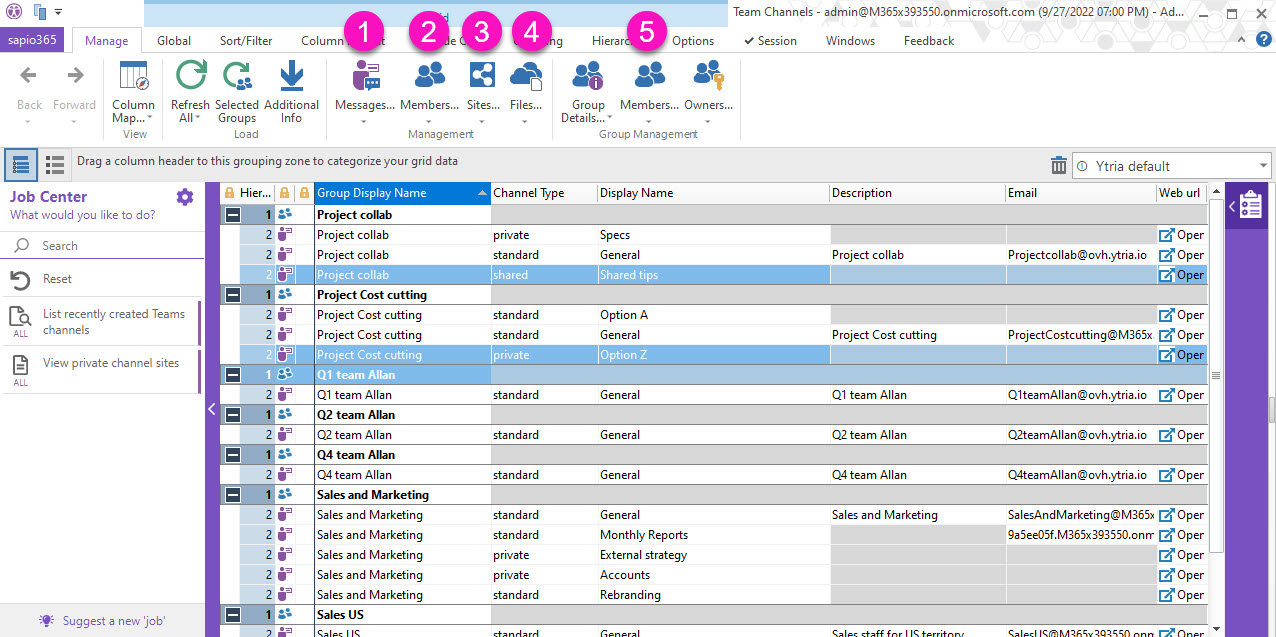
From here, you can select channels to retrieve private channel sites, to manage chats, private channels members and library documents.
-
Messages: get messages posted in channels.
-
Members: manage members and owners of private and shared channels.
-
Sites: retrieve SharePoint Online sites of private and shared channels.
-
Files: retrieve items in the SharePoint Online document libraries of channels.
-
Group Management section:
-
Group Details: get selected Teams' properties and navigate to their files, posts, etc.
-
Members: get selected Teams' members and owners, and manage them.
-
Owners: get selected Teams' owners, and manage them.
-