
Tag: SelectedShowEventsUsers
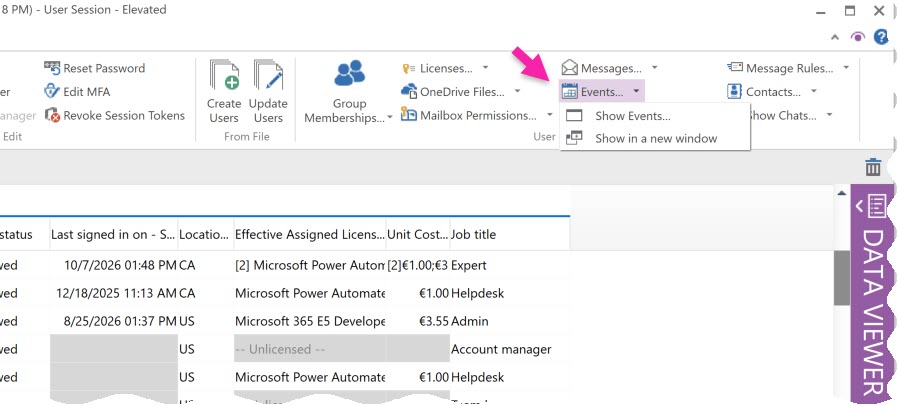
The SelectedShowEventsUsers function automates the action of loading and showing the calendar events of selected users.
<SelectedShowEventsUsers/>
Tag Attributes
|
Attributes |
Attribute Value |
Comment |
|---|---|---|
|
NewFrame |
TRUE (Opens new frame) / FALSE (Continues with existing frame) |
Defaults to FALSE |
|
TRUE / FALSE |
Defaults to the same value as NewFrame |
|
|
FrameId |
Unique identifier of the frame |
Reuse the frame if it exists already, create a new one if it doesn’t. |
|
Semicolon separated column ids. |
Enrich grid with columns from the Users module (override saved setting). |
|
|
CutOff |
all / lastHour / lastDay / lastWeek / lastMonth, or a date in ISO 8601 format |
Loads the events created within this range. Required as soon as any other option below is set, unless CalendarFrom and CalendarUpTo are used. |
|
CalendarFrom |
Date-time in ISO 8601 format |
Calendar view: loads the events between CalendarFrom and CalendarUpTo, which go together. From is accepted as an alias. |
|
CalendarUpTo |
Date-time in ISO 8601 format |
End of the calendar view. UpTo is accepted as an alias. |
|
Filter |
Pre-filter string |
As seen in the Filter editor result. |
|
BodyPreview |
TRUE / FALSE |
Retrieves the body preview. |
|
FullBody |
TRUE / FALSE |
Retrieves the full body content. |
|
MaxItems |
Number greater than 0 |
Maximum number of events to load, per user. |
|
Ids |
Colon-separated user IDs |
Opens the module for these users instead of the selected rows: no Users module or selection is needed. |
o
NB: option parameter attributes are listed in My Data: Show Calendar
Example Script
<SelectedShowEventsUsers NewFrame="True"/>