If you use an elevated session or an App session, and the sapio365 update includes new application permissions (related to newly added features), you will need to update the registered applications related to each session by consenting to those new permissions.
Adding and consenting to the missing permissions for an application is not mandatory to use the updated version of sapio365.
However, new features related to non-consented or missing permissions will not be functional.
Learn more about what the application provides for the latest sapio365 release.
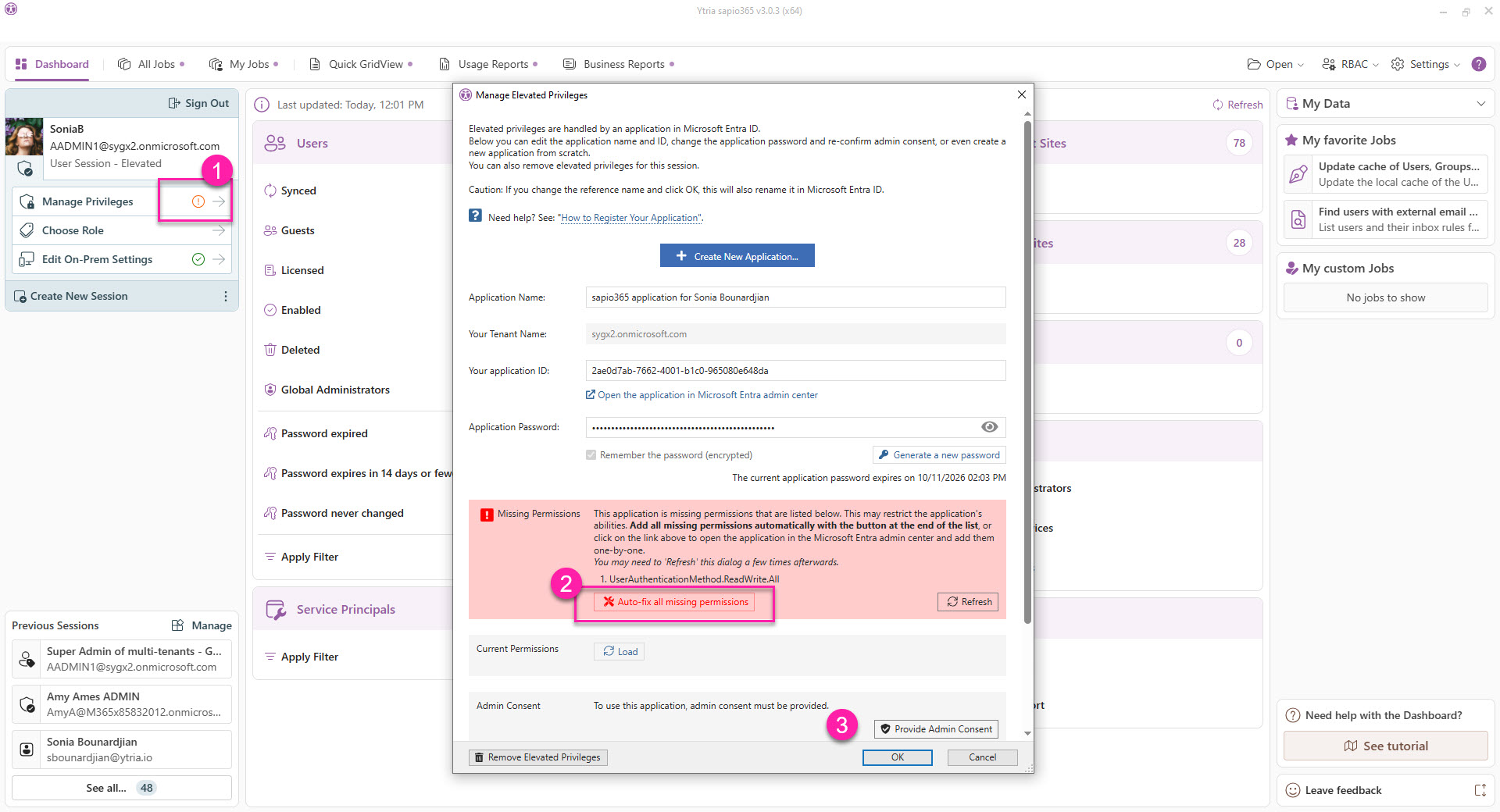
Update an Elevated session
-
Click on ‘Manage Privileges’ (the exclamation mark shows that it needs attention).
-
Click on ‘Auto-fix all missing permissions’. These are listed.
-
Give consent to these permissions.
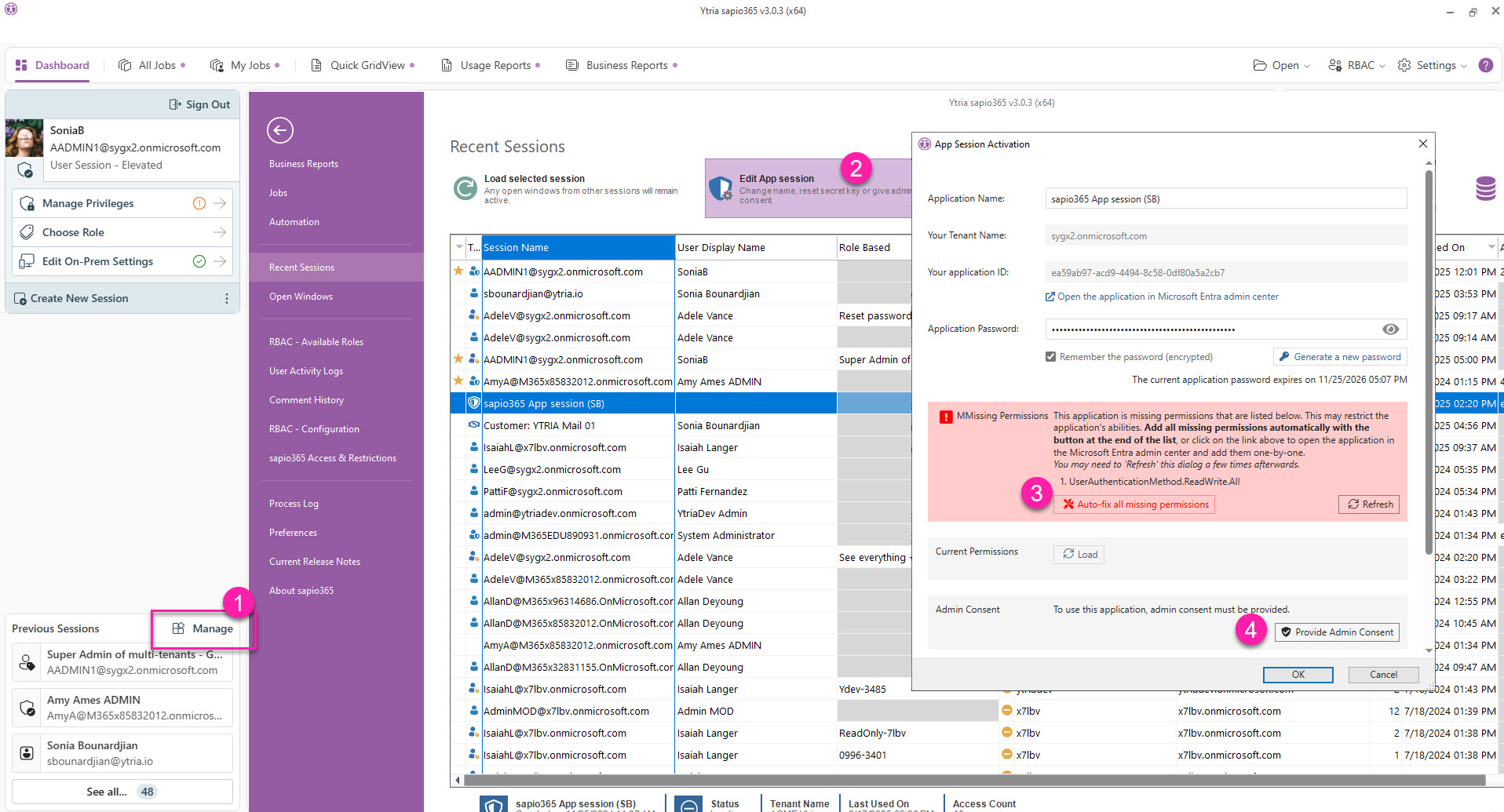
Update an App session
-
While signed in as the account that created the app session, click on ‘Manage’ (sessions).
-
Select the App session and click ‘Edit App session’.
-
Click ‘Auto-fix all missing permissions’.
-
Give consent to the permissions you added.