By default not even global admins can create an App session.
For security reasons, an App session can only be seen and used by users who have the sapio365 ‘Access App sessions’ role assigned.
‘Access App sessions’ sapio365 role is required
-
By default, no one can create, see or use any App session, not even those with a Microsoft 365 global admin role or a sapio365 General Manager role.
-
To set a sapio365 Access App sessions role, you must have a Microsoft 365 global admin role or a sapio365 General Manager role.
-
Creating a sapio365 App session creates a custom-named registered application in your tenant. You can add or remove permissions for this registered app in Azure Active Directory.
sapio365 Collaboration
sapio365 Access & Restrictions data is stored locally and syncs with the database you’ve set for collaboration as a central repository of shared data.
Enable users to create and use App sessions
-
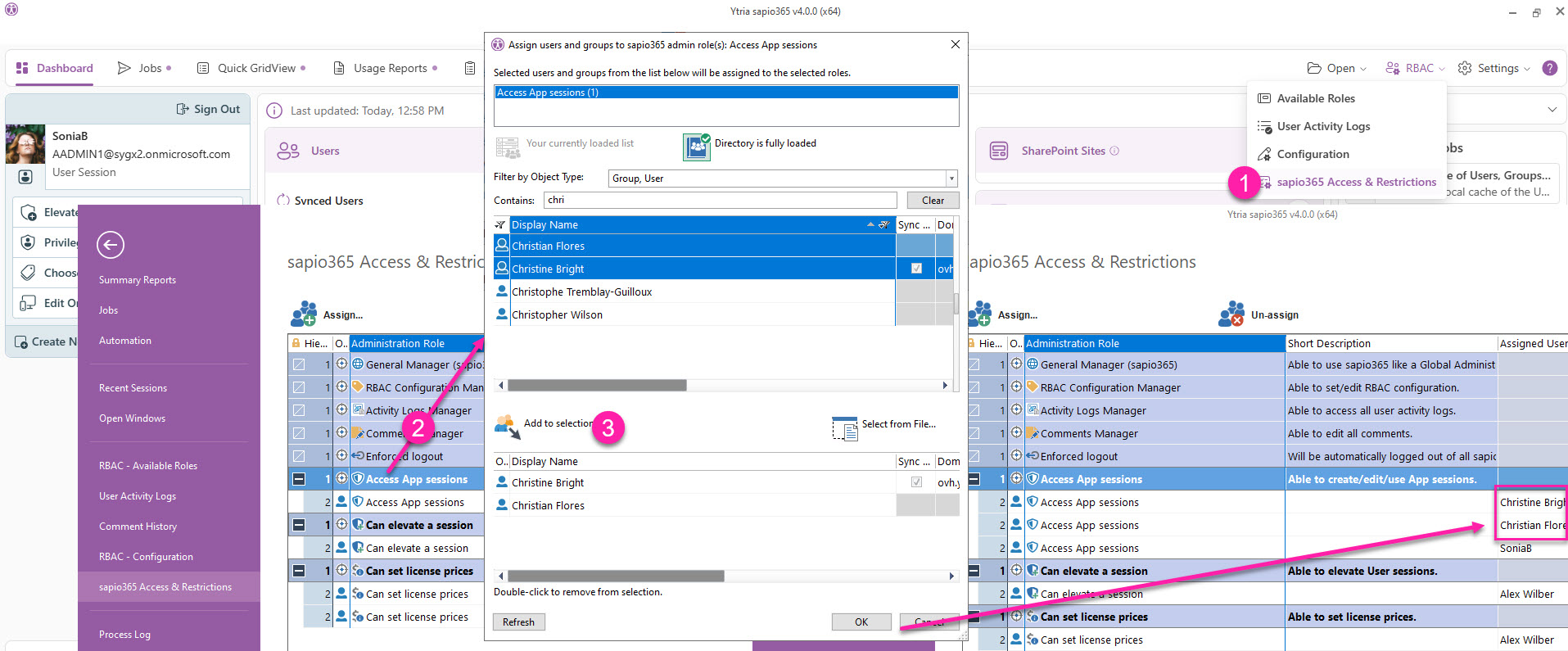
From the Dashboard, click RBAC submenu item ‘sapio365 Access & Restrictions’.
-
Once in that section, select the entry ‘Access App sessions’ in the grid and click ‘Assign’.
-
Select your account, others users or a group that you wish to give the ability to create App sessions. Click ‘Add to selection’ and click OK to see whoever you’ve selected listed under the role.
Remove App session access
To remove a user’s ability to access an App session they’ve created:
-
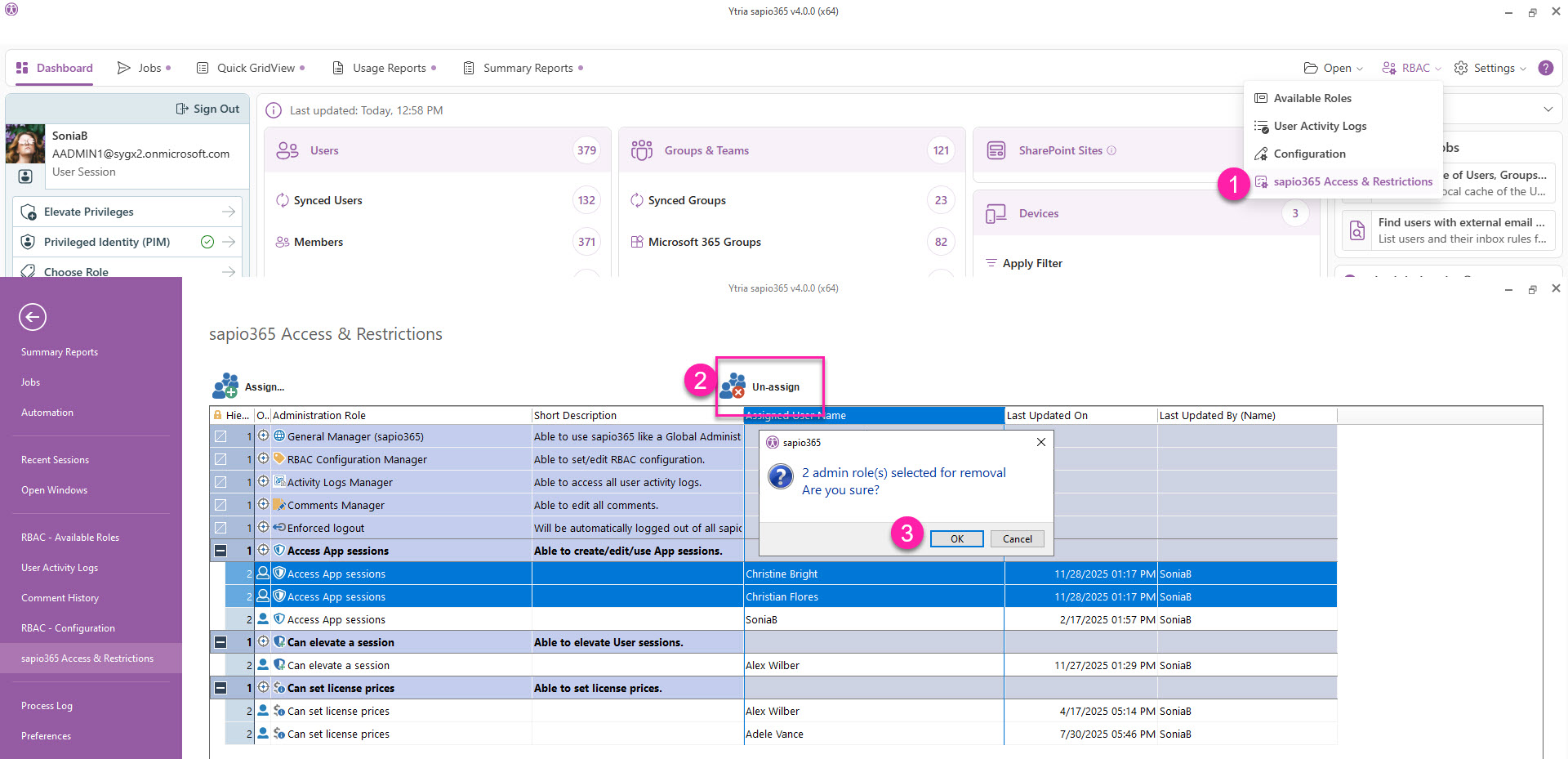
From the Dashboard, click RBAC submenu item ‘sapio365 Access & Restrictions’.
-
Once in that section, select the the users or groups under ‘Access App sessions’ in the grid and click ‘Un-assign’.
-
Confirm by clicking OK.