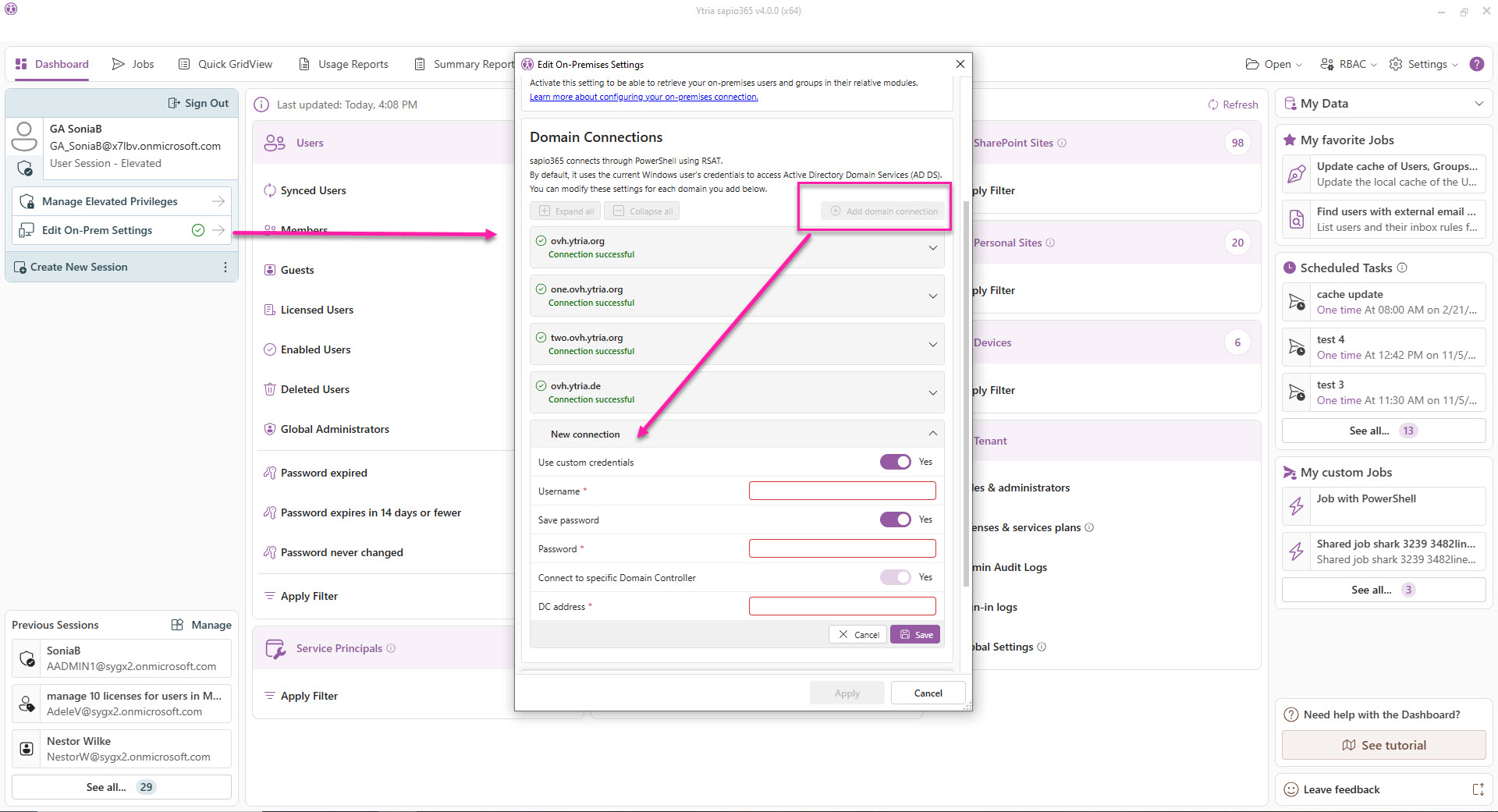
If your tenant is synchronized with multiple on-premises Domain Connections you can access User and Group on-prem data from each one by adding a connection in the on-prem settings configuration of sapio365.
Implications of a multiple Domain Connection configuration:
-
Only attributes shared by ALL connected domains are available.
-
You can choose individual domains to refresh user or group data.
-
You must specify the domain when creating or importing new users and groups.
-
Editing the manager and organizational unit (OU) of selected users are only available if they are all from the same domain.
-
Choosing from a directory is limited to one domain at a time (example: adding members, adding group memberships).
Add more Domain Connections
Click the ‘Add domain connection’ button and fill out the parameters, and click ‘Save’. This validates the connection.
A domain or subdomain must be unique.
Note that only the first domain connection can be set without a specified domain controller because it will use the one on the computer.