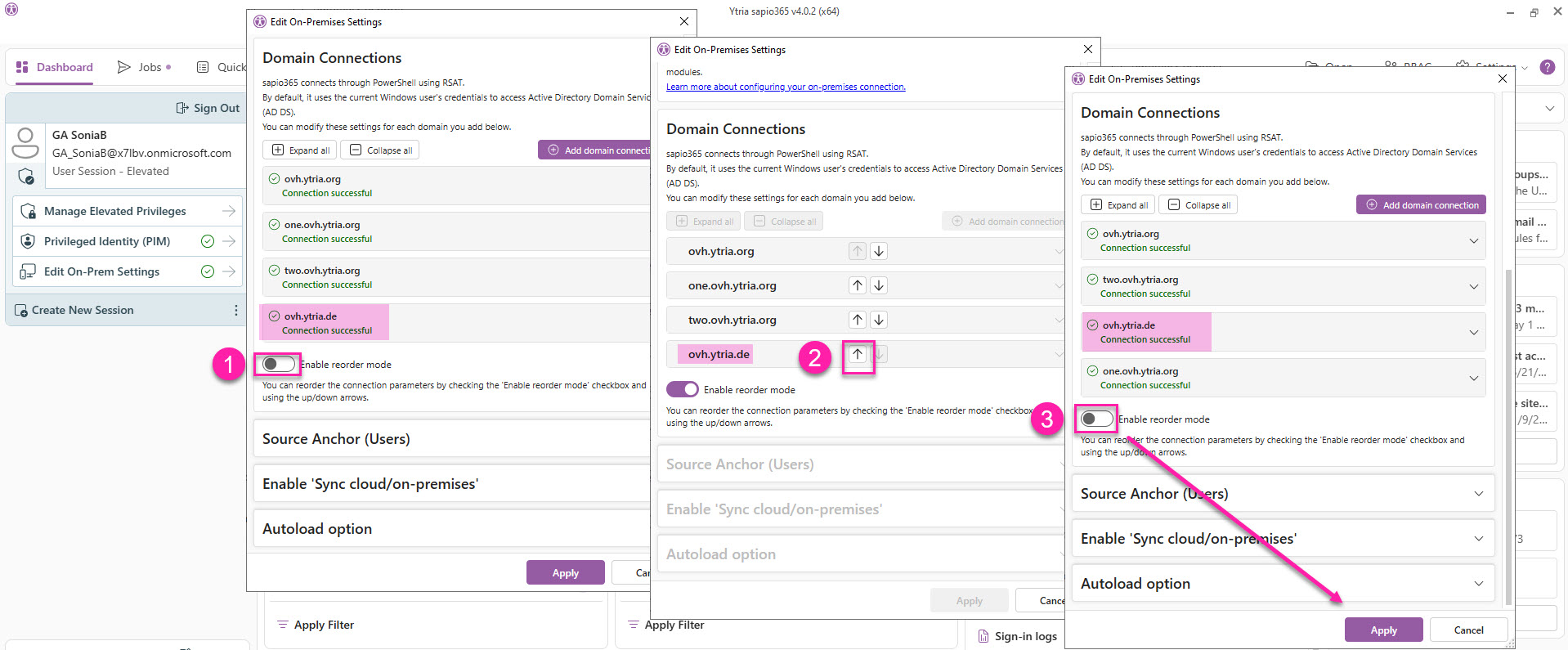
In a hybrid AD multi-domain environment with a complex sync topology, you can reorder your sapio365 domain connections to match that structure.
The sequence of these connections determines how sapio365 reads on‑premises data: each connection overrides the ones before it, and the last connection in the list takes precedence for any overlapping information.
Change the order of your domain connections
To reorder your domain connection:
-
Toggle on the button Change connection order.
-
Use the arrows to move the domain connections
-
Toggle off Change connection order and click Apply.