How to load unavailable ‘Other’ attributes
When you load on-prem user or group attributes from several Domain Connections, in the ‘Other’ category, only attributes shared amongst all Domain Connections are available.
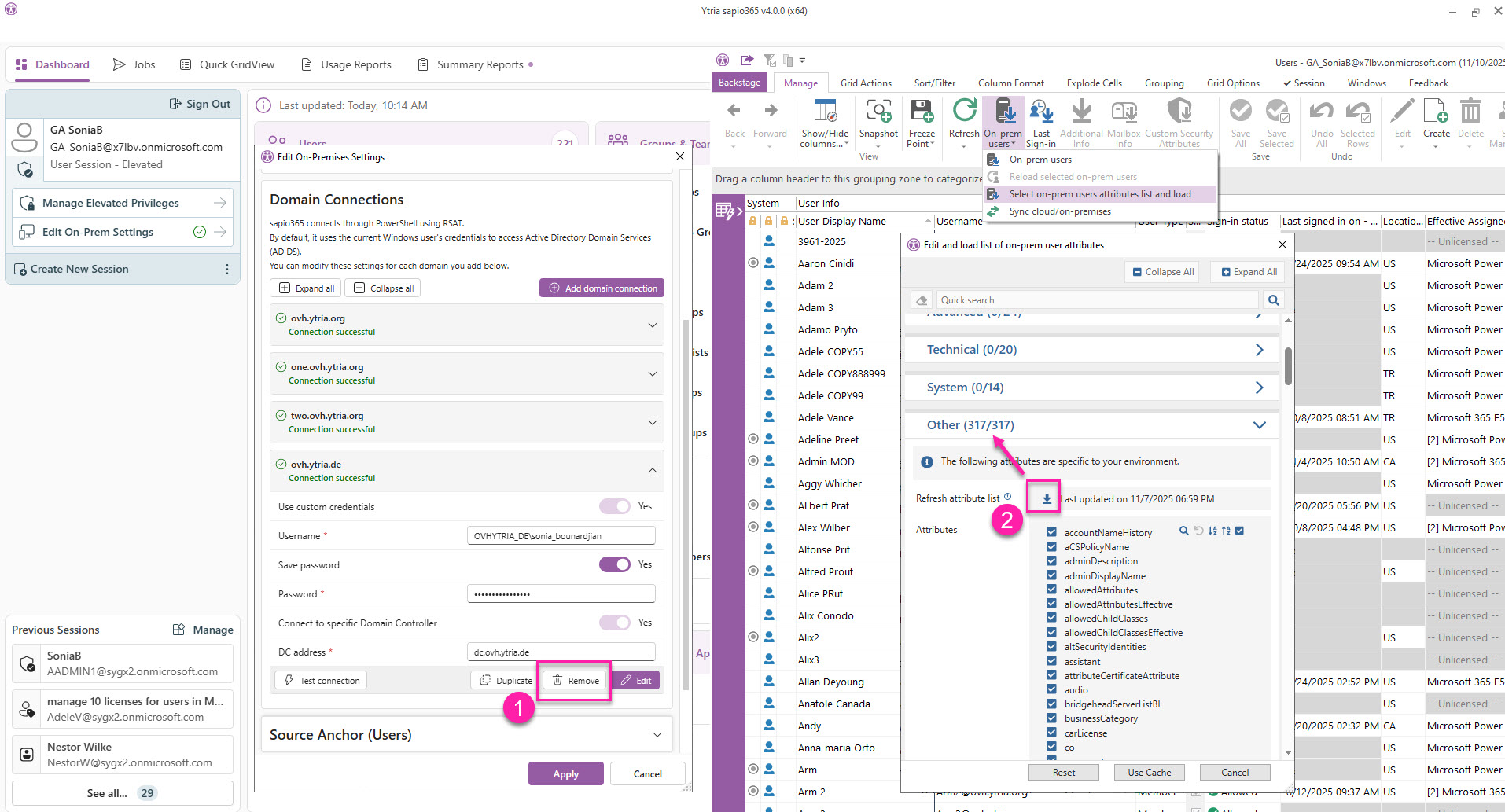
If you can’t find the attribute you’re looking for in the retrieved list, you’ll need to:
-
Go to ‘Edit on-prem settings’ in the Dashboard to remove sapio365’s connections to Domain Connections that do NOT have that attribute.
-
Go to the submenu item ‘Select on-prem users/groups attributes list and load’ and click ‘Refresh attribute list’ in the ‘Other’ section of the load selection.
This will re-read the attribute lists for each Domain Connections and list only those common to all. The number in parenthesis after ‘Other’ should become larger since there will be more attributes available.