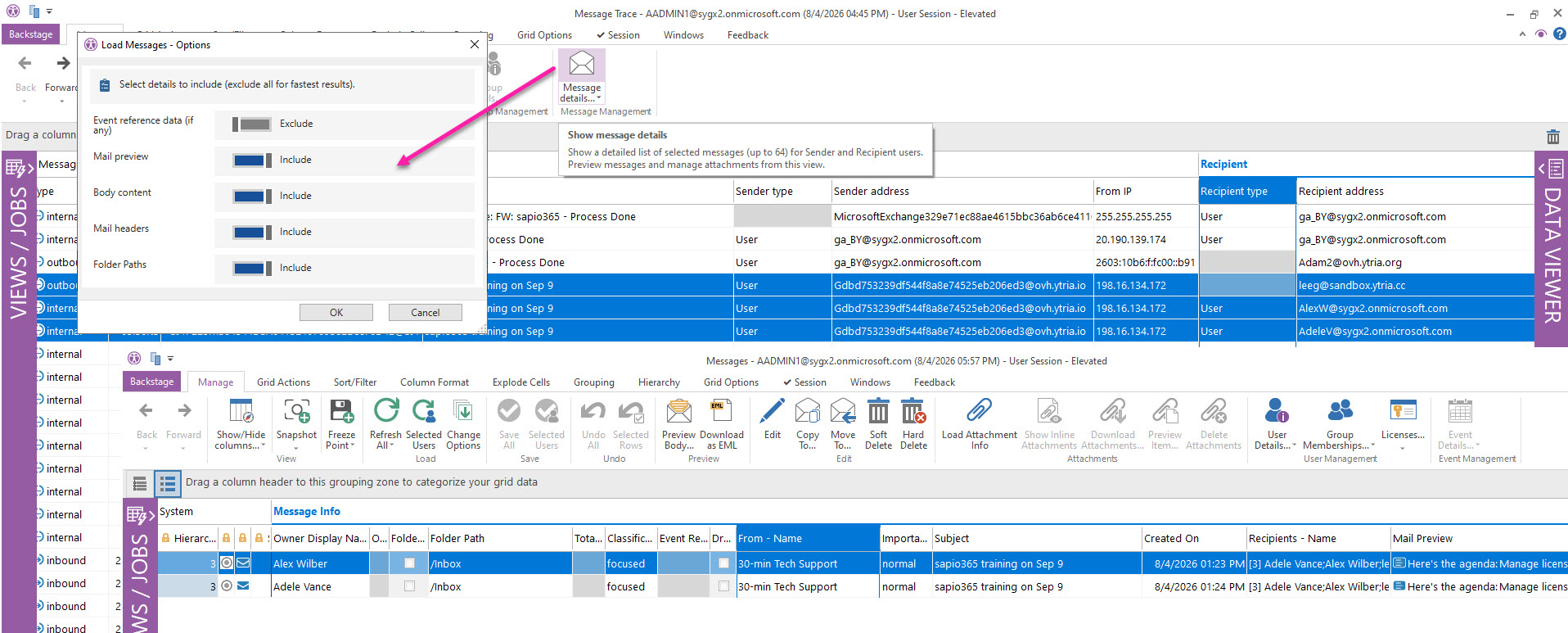
Accessible from the Tenant section of the Dashboard, Message Trace lets you list messages, review delivery status such as delivered, failed, quarantined, and filtered as spam, and analyze the results directly in the grid.
You can quickly identify whether messages are internal or external, inbound or outbound and then retrieve selected messages from internal sender or recipient mailboxes for follow-up actions such as deleting or copying them.
Requirements
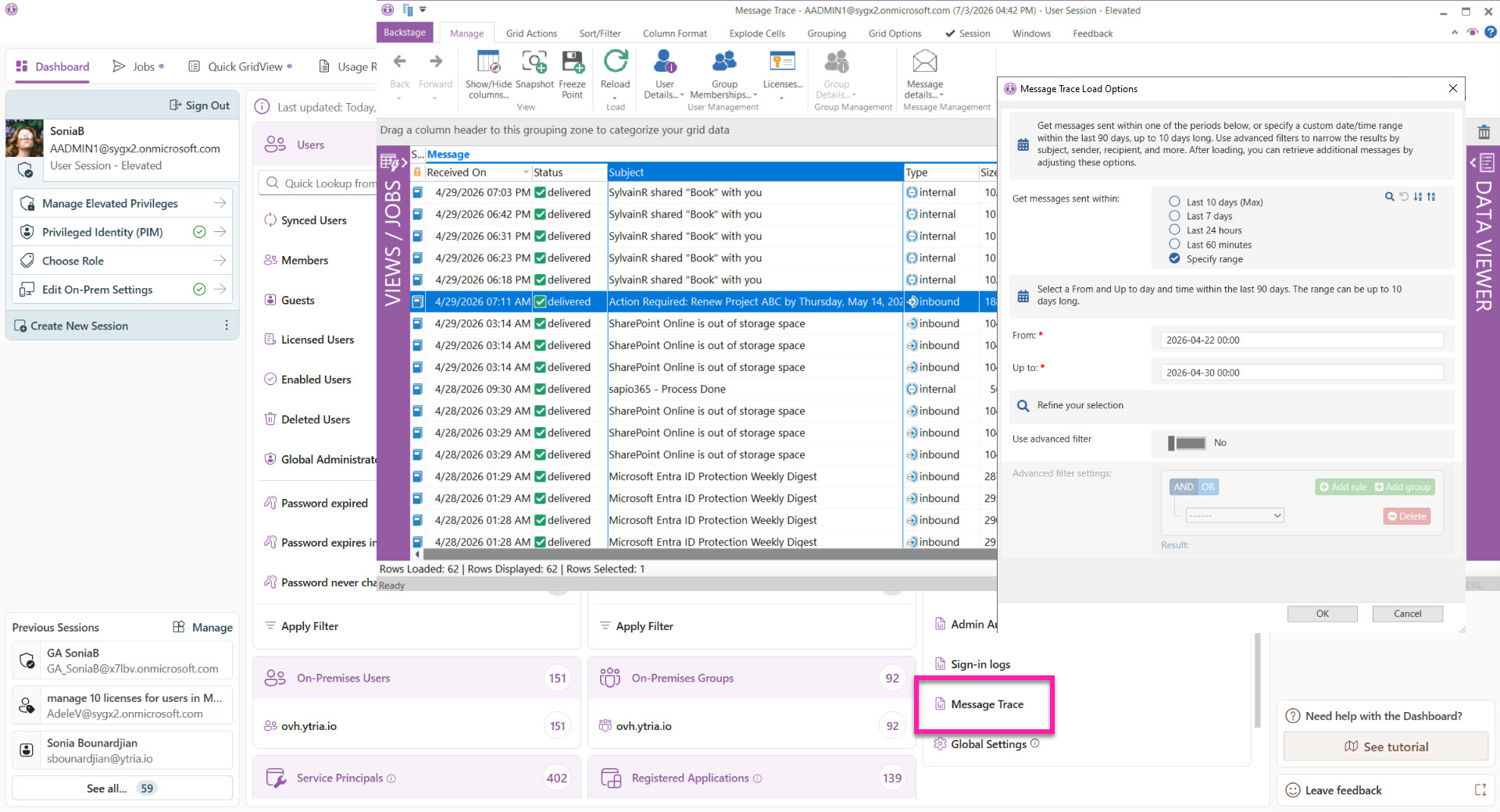
The Message Trace Graph API requires provisioning a service principal in your tenant with the following application (client) ID: 8bd644d1-64a1-4d4b-ae52-2e0cbf64e373. sapio365 checks whether this service principal already exists and, if it does not, prompts you to confirm before creating it on your behalf.
Load Options
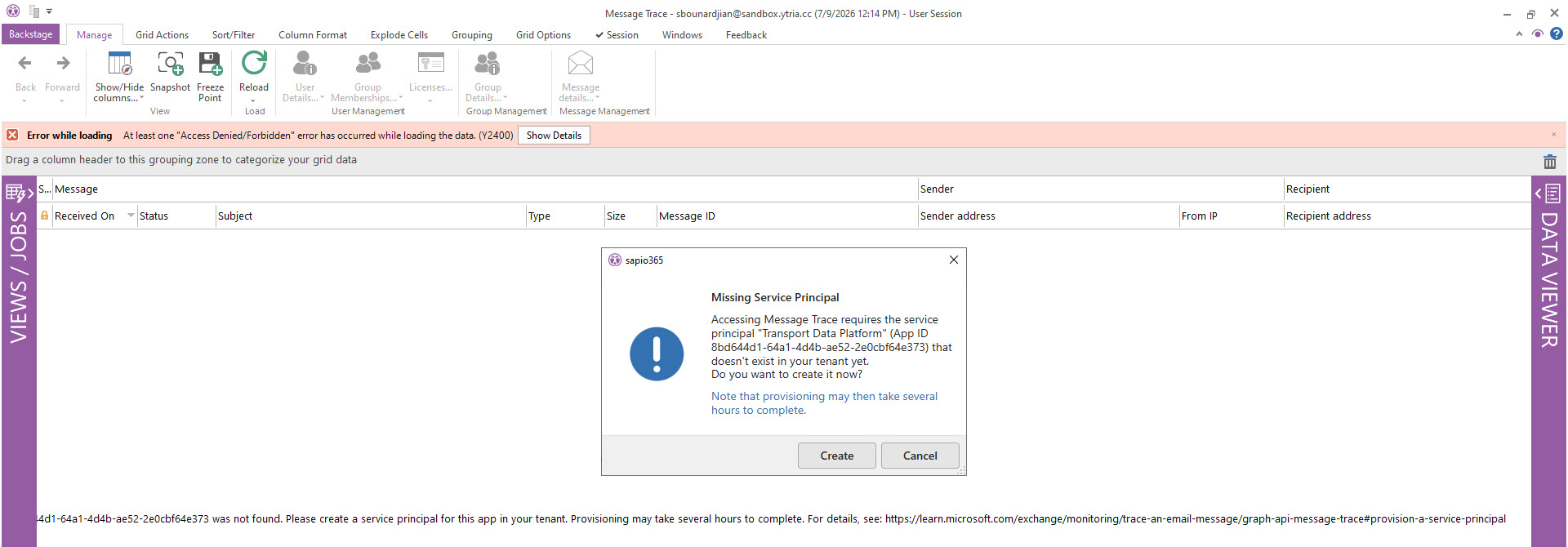
Get messages sent within one of the periods below, or specify a custom date/time range within the last 90 days, up to 10 days long. Use advanced filters to narrow the results by subject, sender, recipient, and more. After loading, you can retrieve additional messages by adjusting these options.
Date/Time range
-
Last 10 days (Max)
-
Last 7 days
-
Last 24 hours
-
Last 60 minutes
-
Specify range
Specify a date range of 10 days or less
The From and Up to fields accept dates from the last 90 days, but if the selected range exceeds 10 days, the search returns an error.
Advanced filter option
Advanced filters help you target specific messages and reduce the number of messages returned.
The following properties are available:
|
Property |
Description |
|---|---|
|
From IP |
The source IP address. For incoming messages, this is the public IP address of the SMTP server that sent the message. Must match exactly. |
|
Graph ID |
The Graph ID of the message. Must match exactly. |
|
Message ID |
The Message-ID header value of the message. Must match exactly. |
|
Received on (UTC) |
The date and time when the message was received by Exchange Online, shown in UTC (Coordinated Universal Time). |
|
Recipient addresses |
The SMTP email address of the recipient (the user the message was sent to). Must match exactly. Use the OR or AND function to add more recipient addresses. |
|
Sender address |
The SMTP email address shown as the sender (the address the message claims to be from). Must match exactly. |
|
Status |
Can be set to one of the following: delivered, expanded, failed, filteredAsSpam, gettingStatus, pending, quarantined. |
|
Subject |
The subject line of the message. You can match the text using equals, begins with, or contains. |
|
To IP |
The destination IP address. For outgoing messages, this is the public MX IP of the recipient domain; for incoming messages to Exchange Online, this field is blank. Must match exactly. |
Get more information about the sender and recipient
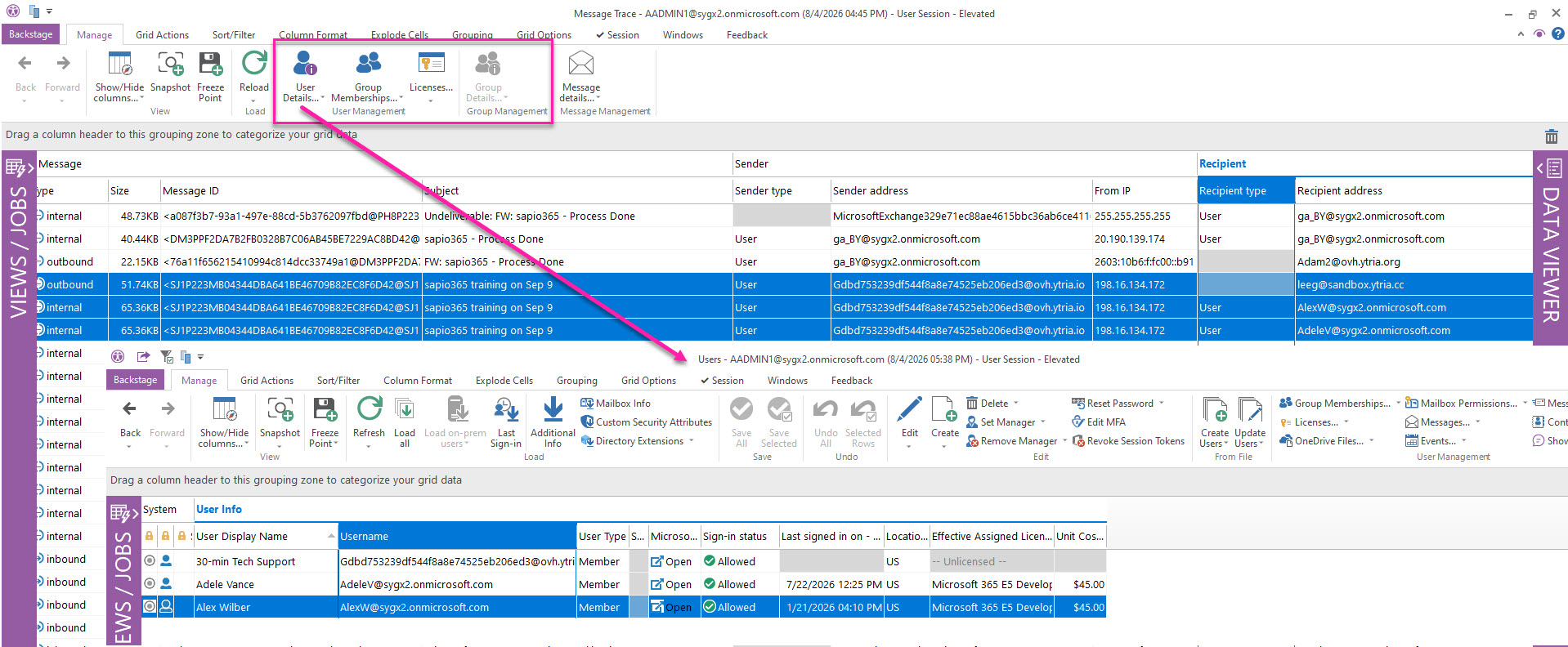
If the sender or recipient is of the User or Group type, use the following buttons to retrieve more details about them.
-
User Details: Show and manage users' properties (shown in the image below).
-
Users' Group Memberships: See and manage the users' group memberships.
-
Users' Licenses: See and manage the users' assigned M365 licenses and services.
-
Group Details: Show and manage groups' properties.
Get Message Details
Use the Message Details button to open the selected messages directly from the sender's and recipient's mailbox, provided the mailbox is of the User type.
From there, you can view and manage the mail messages and their attachments in each mailbox, as long as the message is still available.
Choose from extra loading options (exclude all for fastest results).
-
Event reference data: Include properties that relate to calendar events for certain message types (responses, invitations, etc).
-
Mail preview: Add message content in the grid under 'Mail Preview' column.
-
Body content: Include body content properties and allow preview in message viewer using the ‘Preview Body’ button.
-
Mail headers: Include mail header data.
-
Folder paths: Load the name of the folder where the message resides.