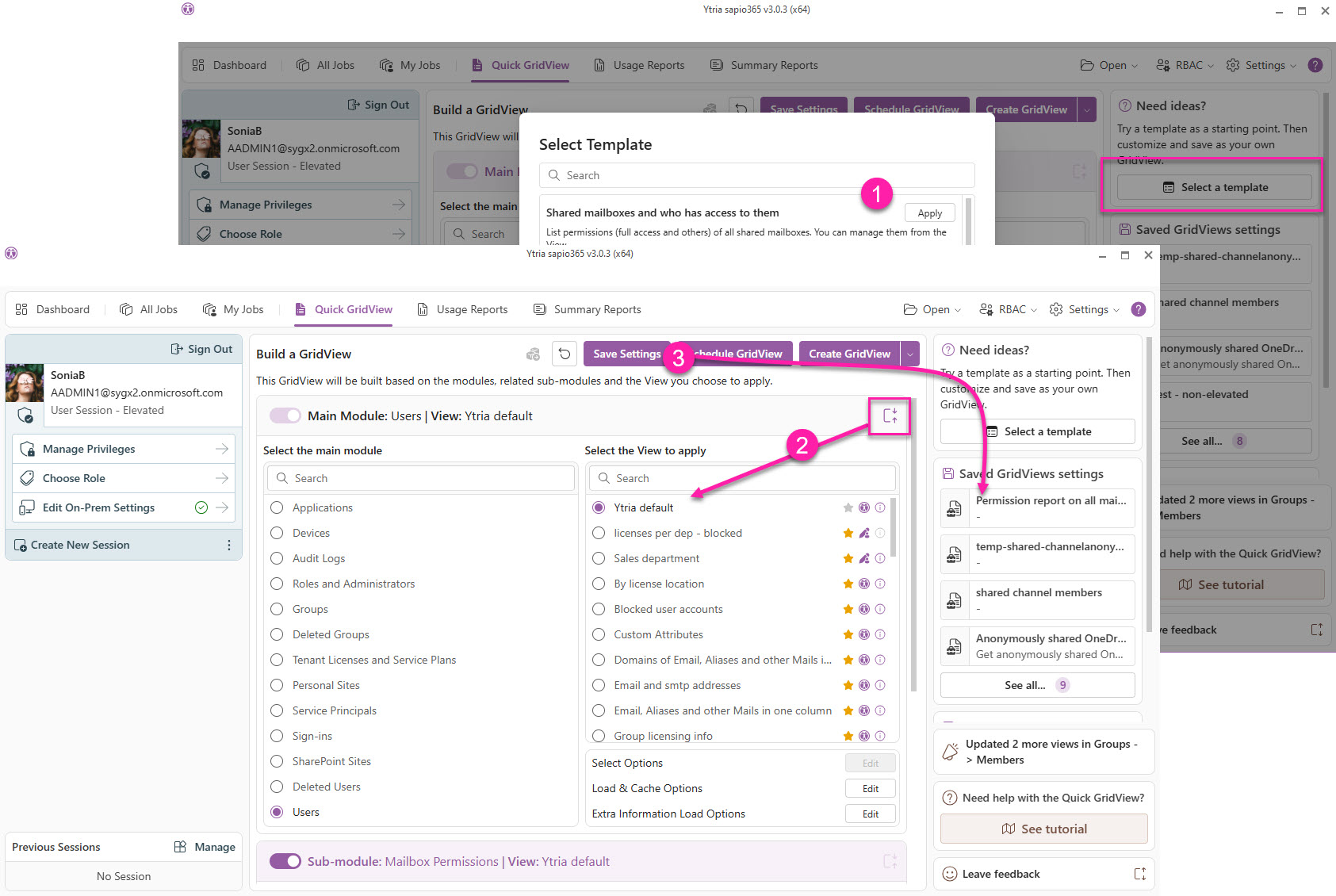
If you’re not sure where to start in the Quick GridView, you can apply a template from a list.
These templates serve as example Settings. They are preset with the modules, views and load options to create a desired view.
Processing time for creating a GridView depends on the number of objects defined by the view applied, the number of submodules to load, and loading options set.
TIP
After applying a template, you can update the modules, views and load options before saving it as your own custom Setting.
See example at the end of the page.
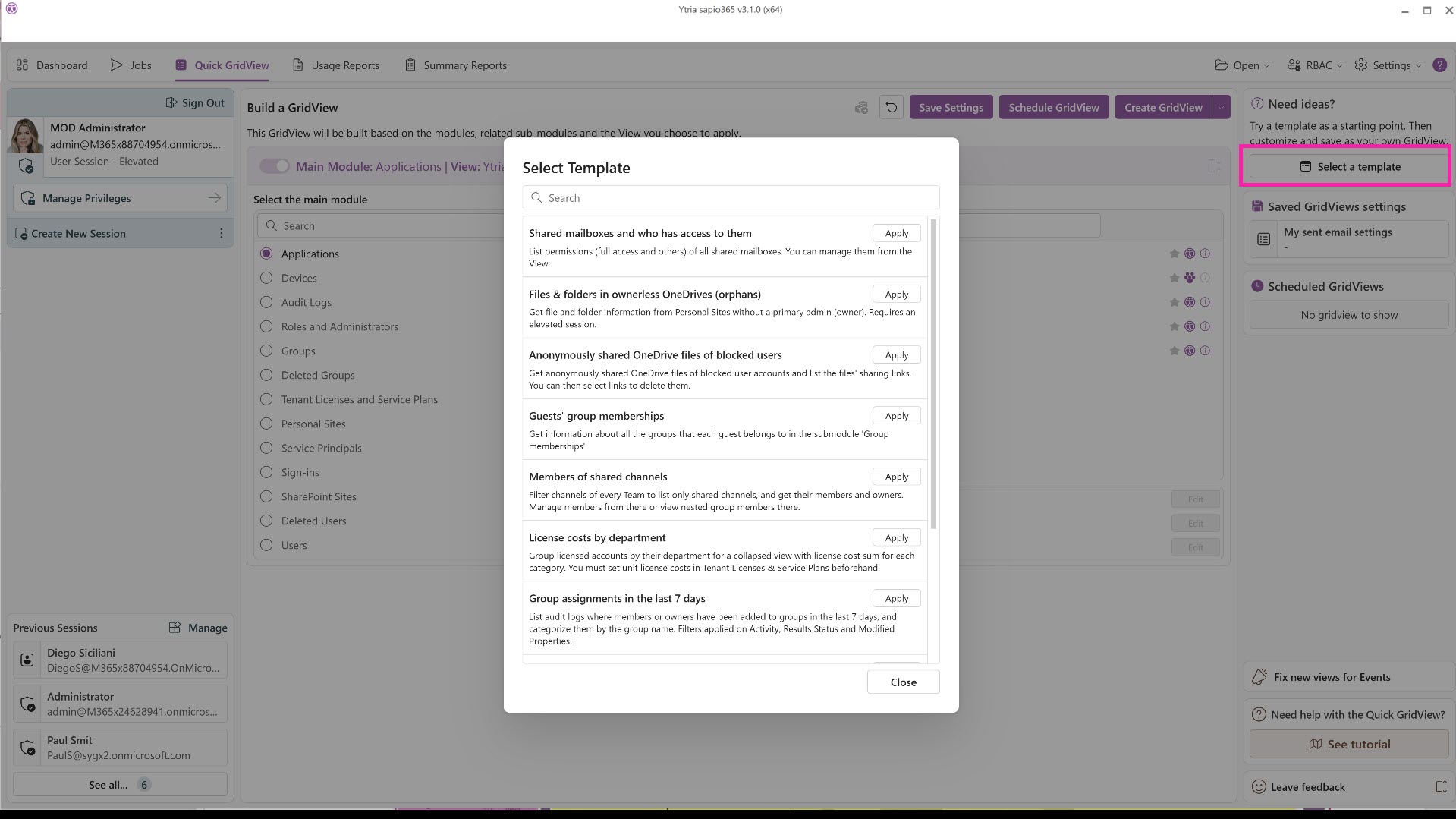
Example of applying a template and saving a custom Setting
Example use case: Create a mailbox permissions report for ALL mailboxes
-
Select relevant template: Apply ‘Shared mailboxes and who has access to them’ template.
-
Update View: Click on the expand icon in Main Module to then change the view in Users to ‘Ytria Default’ to process all mailboxes.
-
Save Setting: Save the new Setting as ‘Permission report on all mailboxes’ and have it available on the right side to run or schedule.