Most sapio365 updates include a restructuring of collaboration databases that store shared data like sapio365 RBAC roles, comments, views and more. Updating sapio365 generally triggers a migration of this data from the old databases to new ones.
A global admin or sapio365 General Manager MUST BE THE FIRST TO update sapio365
If you have setup collaboration in sapio365, a Microsoft 365 global admin or a sapio365 General Manager (assigned in the sapio365 Access & Restrictions section) must be the first to launch and update sapio365 to trigger a migration of collaboration data.
If a sapio365 user other than a Microsoft 365 global admin or a sapio365 General Manager is the first to try to update sapio365 that has been enabled for collaboration, they will encounter an warning message related to the User session (no admin consent given).
Automatic migration of collaboration databases
If a global admin or a sapio365 General Manager updates sapio365 that has been enabled for collaboration, a migration is triggered for the collaboration databases (shared views, jobs, comments, etc).
Migration process can take a few minutes
Depending on the volume of data and the machine’s processing power, the migration of collaboration databases make take some time.
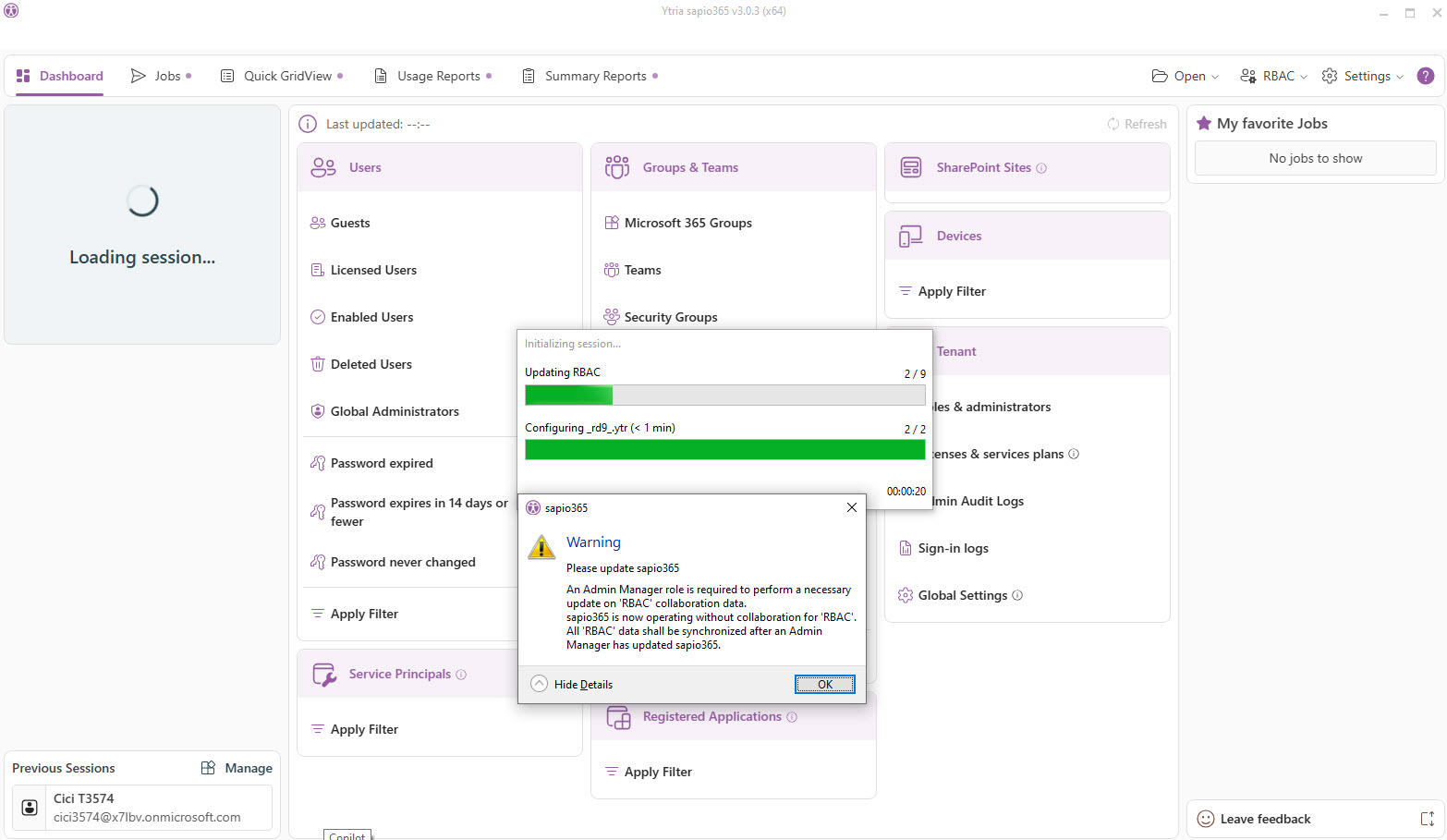
Troubleshoot 'Warning: Please update sapio365'
If you update sapio365 where collaboration has been set to share views, jobs, comments, you may encounter this warning. This means that migration has not taken place.
You will get a warning message for each database (currently 9).
You’ll need to switch to using an older version of sapio365 until the migration takes place.