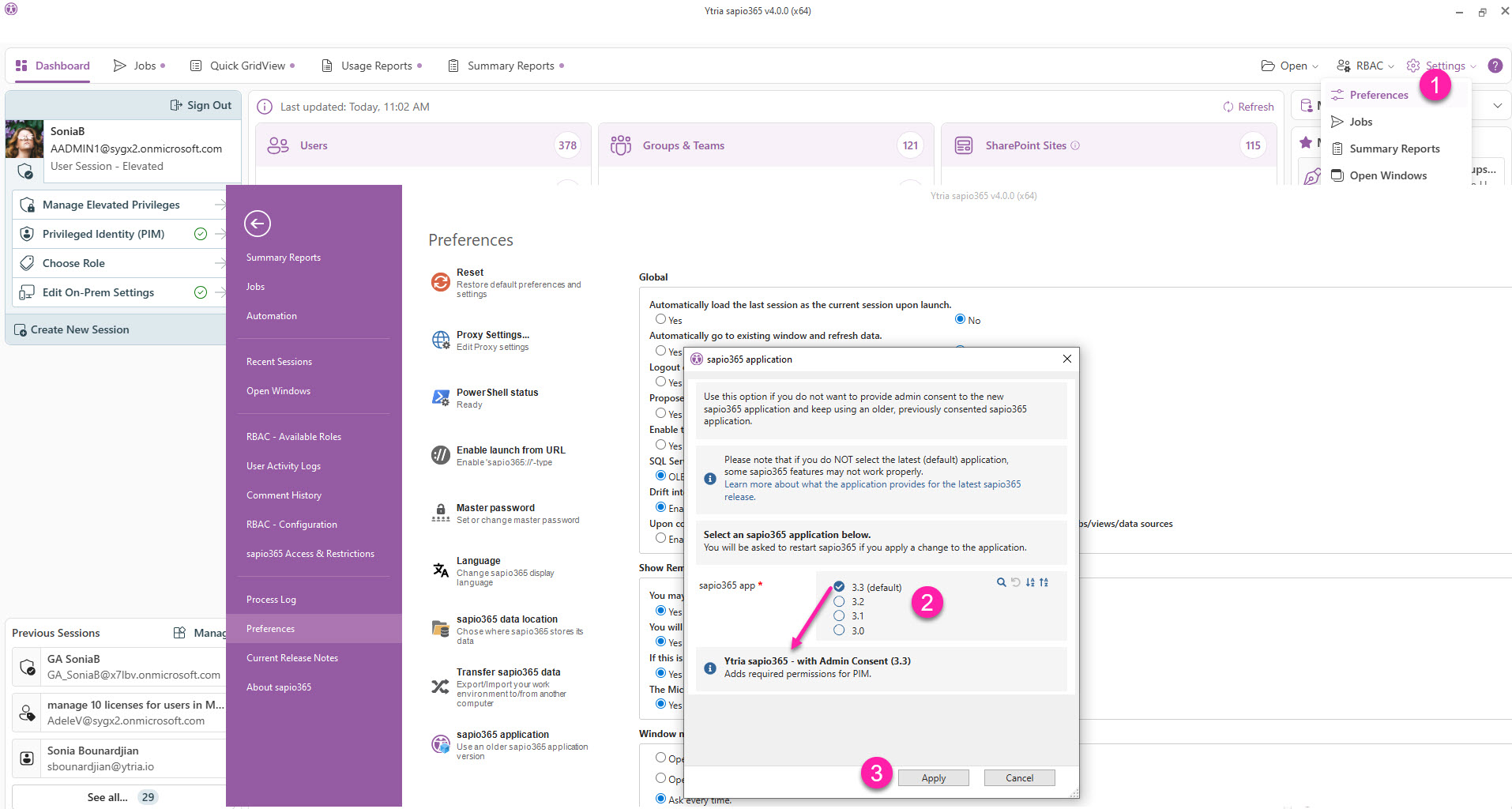
When updating sapio365, if the new sapio365 application’s permissions have not been consented to, sapio365 will fall back to the previously consented sapio365 application.
To avoid being prompted to update, you can choose to use an older version of the application.
Use this option if you don’t want to provide admin consent to the new sapio365 application and keep using an older, previously consented sapio365 application.
While it is recommended to use the latest (default) sapio365 application, selecting an older version allows you to delay upgrading to a newer one that may not be useful for you at the moment.
If you do NOT select the latest (default) application, some sapio365 features may not work properly.
Learn more about what the application provides for the latest sapio365 release.
Temporarily use an older app version of sapio365
-
Go to Preferences.
-
Select an older sapio365 application version from the list. Below the list, you can see a summary of what the selected version brings.
-
Click Apply. Once the change is applied, you’ll need to restart sapio365 to see it in effect. You can restart sapio365 or later.