If you use sapio365 RBAC, and the sapio365 update includes new application permissions (related to newly added features), you may need to update the registered applications related to each credential set by consenting to the new app permissions.
Multi-tenant delegation
You must be using an updated sapio365 application before updating sapio365 in other tenants.
Adding and consenting to the missing permissions of the registered sapio365 application used for RBAC is not mandatory to use the updated version of sapio365 using existing role sessions.
However, new features related to these permissions will not be functional for a role until you:
-
Update the Registered App set in Credentials
-
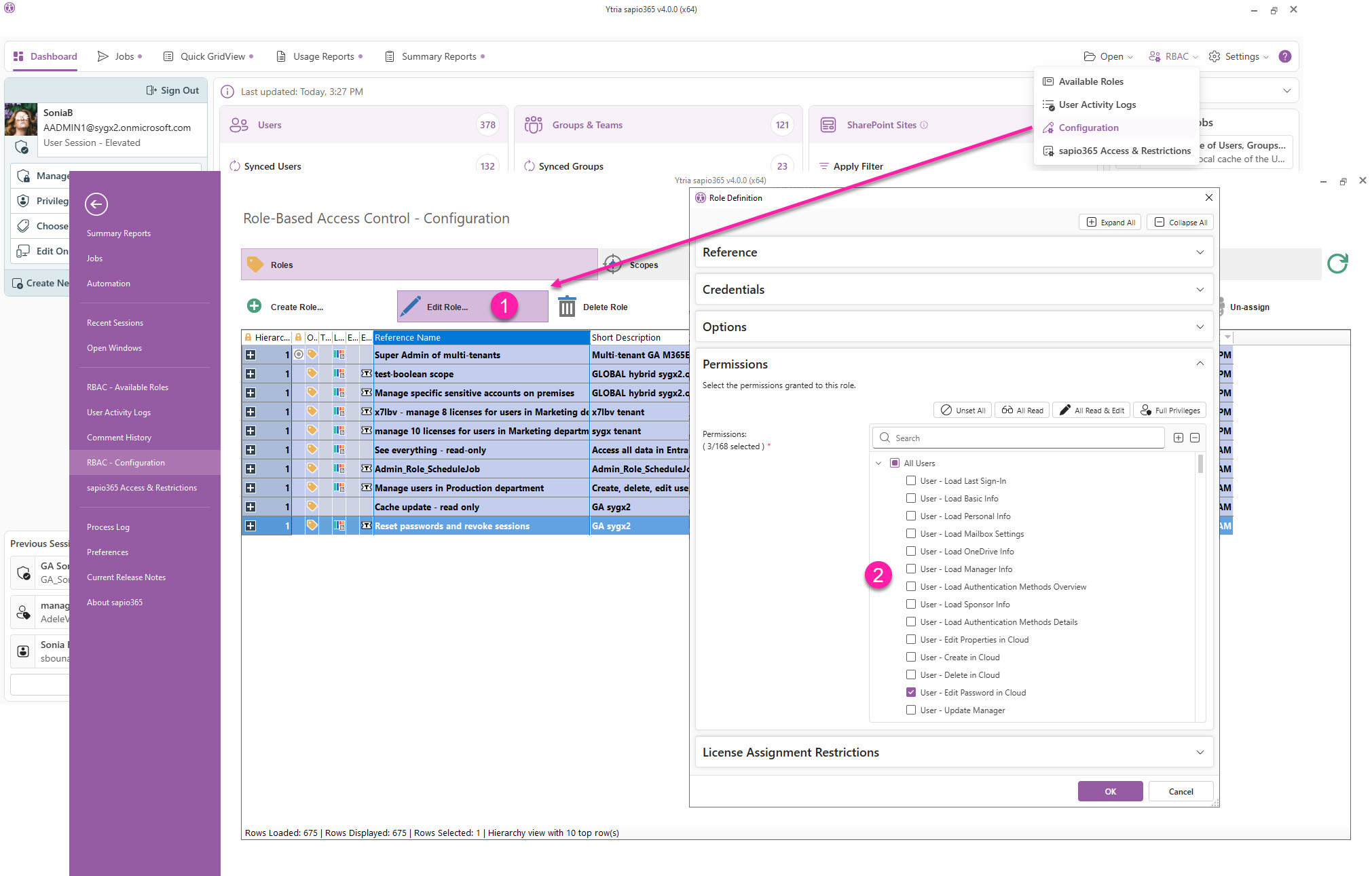
Update the sapio365 RBAC role (if applicable)
Collaboration
If you have enabled Collaboration for your sapio365 license, a Microsoft 365 global admin or a sapio365 General Manager (assigned in the sapio365 Access & Restrictions section) must be the first to launch and update sapio365 to trigger a migration of collaboration data.
Update the Registered App set in Credentials
-
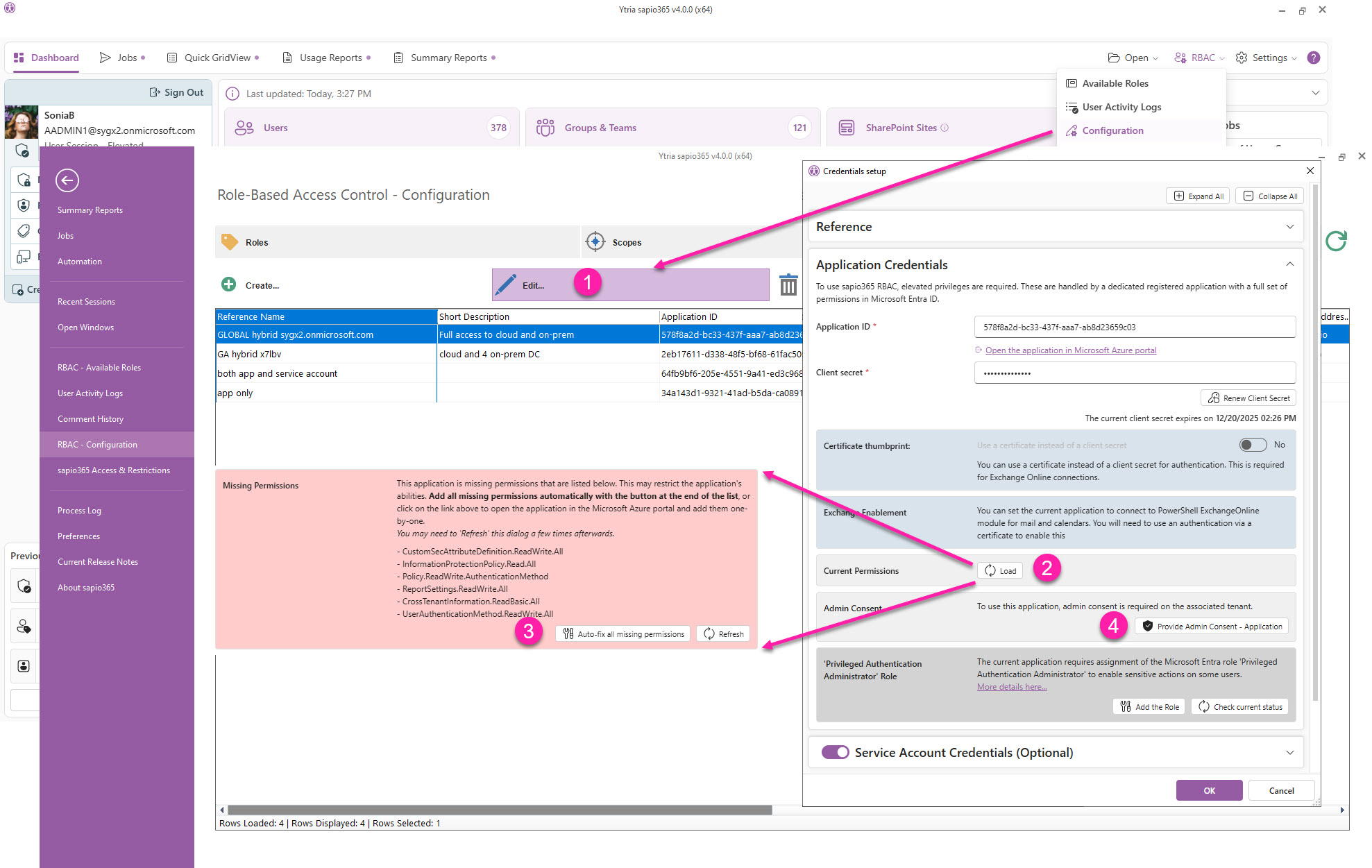
From the Dashboard, go to the RBAC Configuration section → Credentials, select a credential and click ‘Edit’.
-
Under ‘Application Credentials’, click ‘Load’ permissions.
-
Click ‘Auto-fix all missing permissions’.
-
Give consent to the permissions you’ve added.
Update the sapio365 RBAC role
-
Go to the RBAC Configuration section, select a role and click ‘Edit’.
-
Add the new permissions you want and click OK.
Learn more on creating custom roles in sapio365.