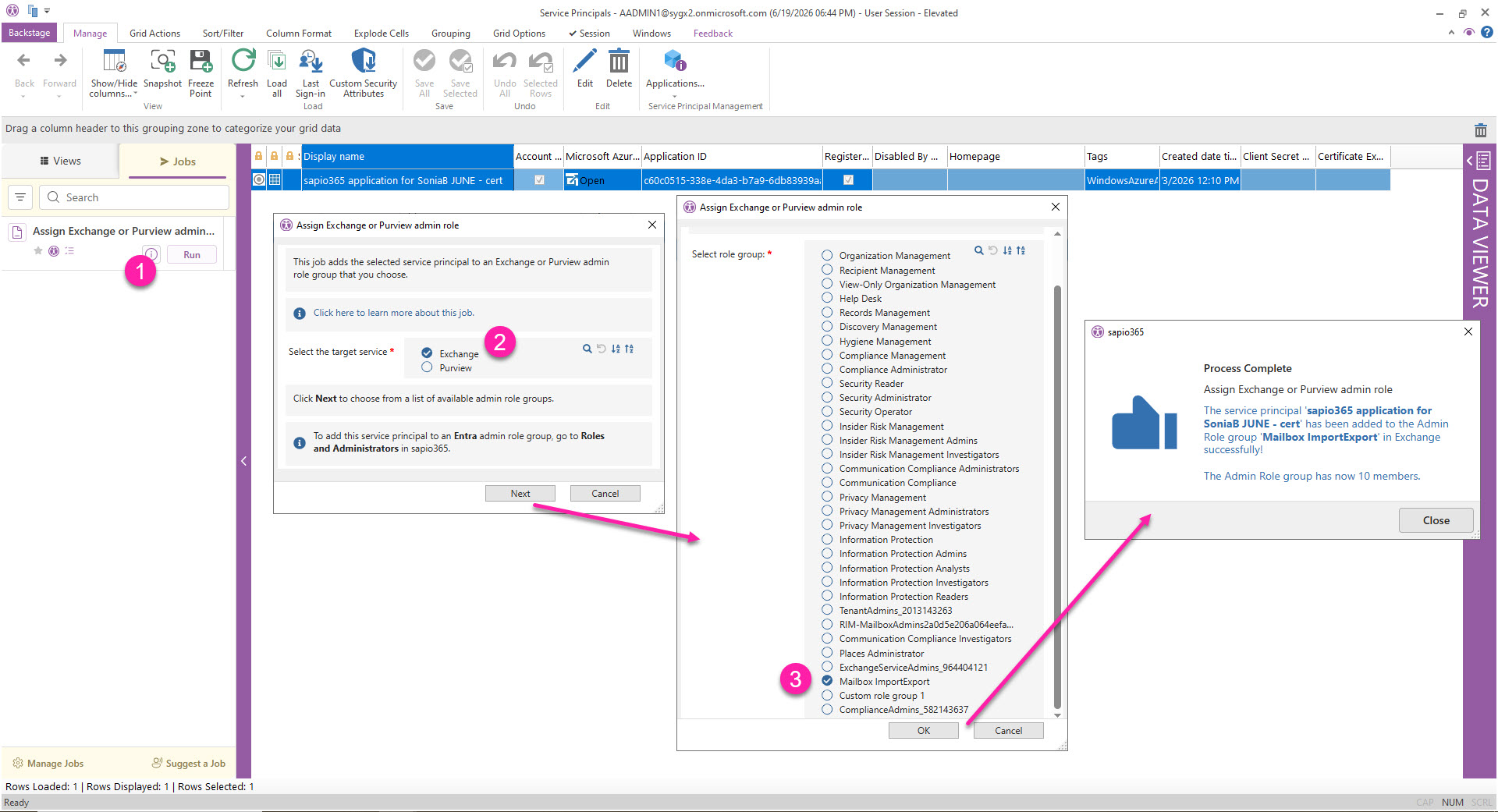
This page shows how to run the Assign Exchange or Purview admin role job to assign the required Exchange admin role group needed to run the Recover deleted calendar events job in an app-based session that is set to use certificate-based authentication for Exchange Online PowerShell.
Identify the service principal associated to your sapio365 session
You can look up the service principal by searching for the name of your registered sapio365 application.
You can see this app name in:
-
Manage Elevated Privileges (elevated session)
-
App details (App session)
-
RBAC Configuration → Credentials
You can look up the App ID of your session in the Recent Sessions grid, and then match it in the list of service principals.
Permissions & Roles Required
To assign a role group to a service principal in Exchange, your current session credentials must belong to an Entra admin role group that has the Exchange Administrator permission (or Global admin) AND an Exchange admin role that has the Role Management Permission.
To run this job in a sapio365 session that is set to use certificate authentication for Exchange Online PowerShell, the service principal associated to the sapio365 registered application must have the required roles.
How to run the job
-
Select the service principal and click Run on the job in Jobs panels on the left.
-
Select Exchange and click Next. If the service principal does not “exist” in Exchange, it will be created.
-
Select the role (in this case it was a role created with only the Mailbox Import Export permissions assigned). Click OK.
You’ll get a confirmation if it was added successfully.