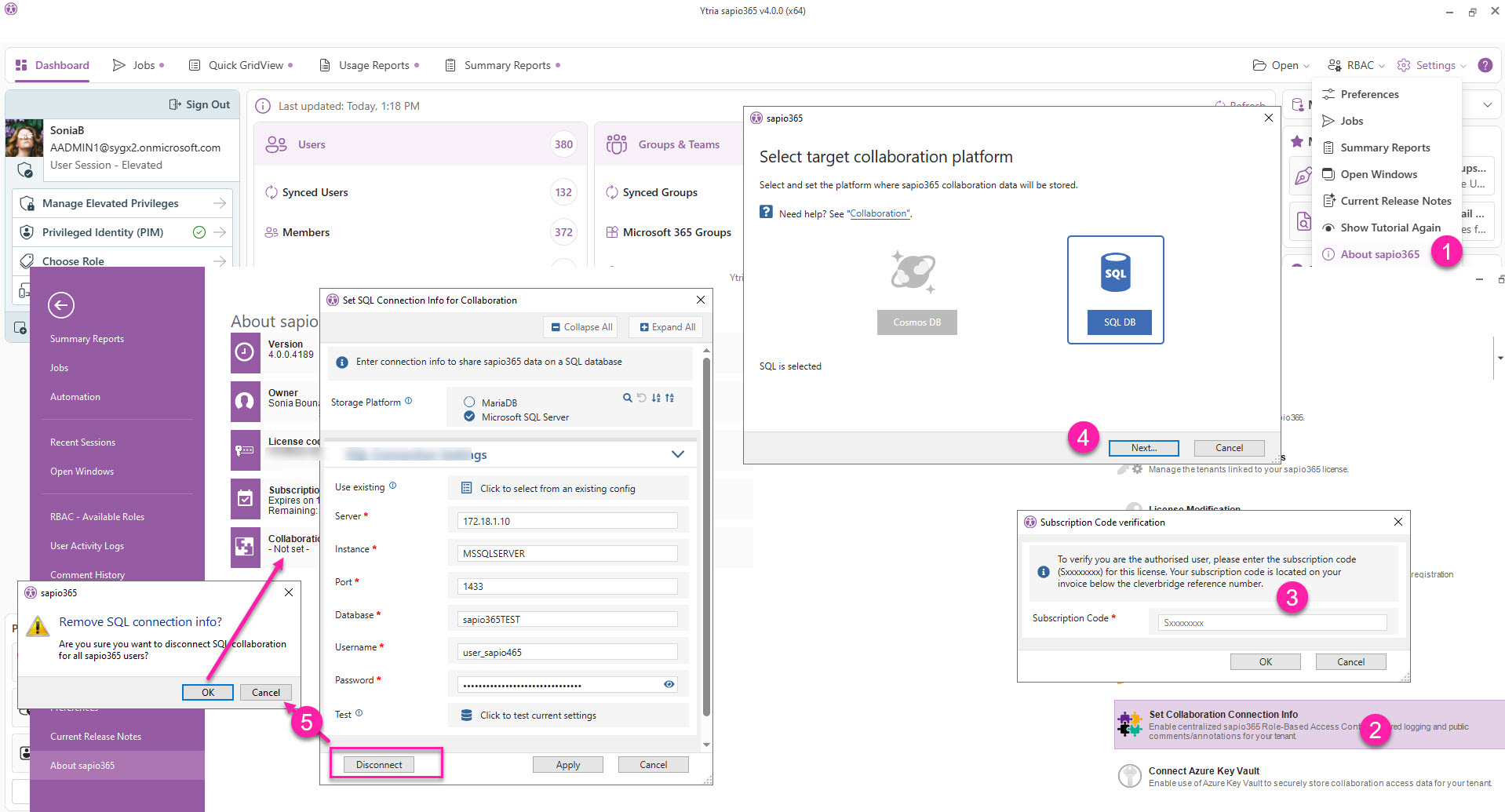
To disable collaboration in sapio365, you’ll need to remove this setting from your license.
-
From the Dashboard → Settings → About sapio365.
-
Click Set Collaboration Connection Info.
-
Enter your subscription code information. This can be found on your Cleverbridge invoice.
-
Click Next.
-
Click Disconnect and confirm by clicking OK. You should then that collaboration connection is -Not set-.