If your service principals have Custom Security Attributes assigned you can retrieve their values and edit them.
Load Custom Security Attributes
There are 2 ways to retrieve Custom Security Attributes:
-
Selecting service principals and clicking the button in the ribbon
-
Applying a view that has related columns like the system view or by applying the view Custom Security Attributes.
Microsoft Entra role required
By default, Global Administrators and other admin roles do not have permission to read, define, or assign custom security attributes.
To view or load custom security attribute values, you must be assigned one of the following Microsoft Entra roles:
-
Attribute Assignment Reader
-
Attribute Assignment Administrator (required for editing)
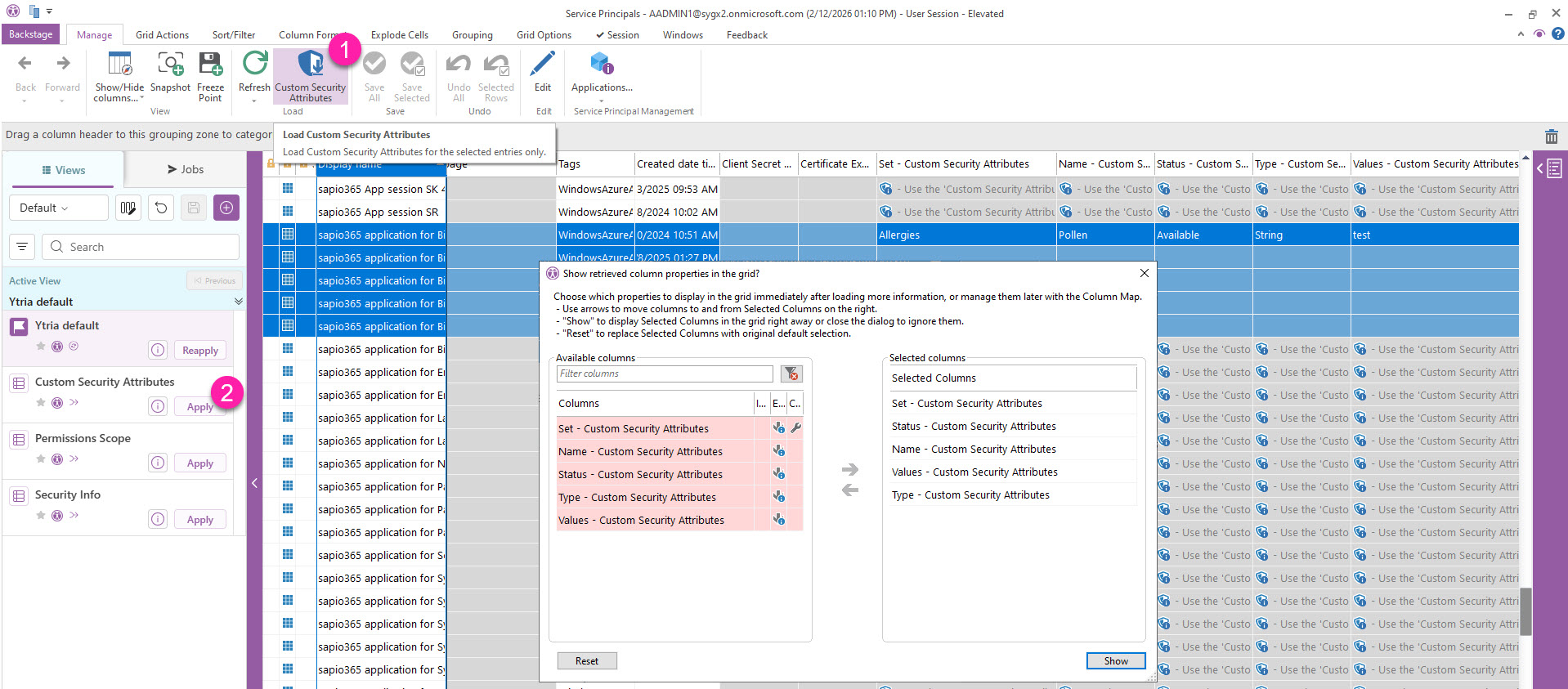
When you load , you’ll be prompted to ‘Show retrieved column properties in the grid?’ where you can set the default columns you want to show in the grid.
View individual Custom Security Attributes
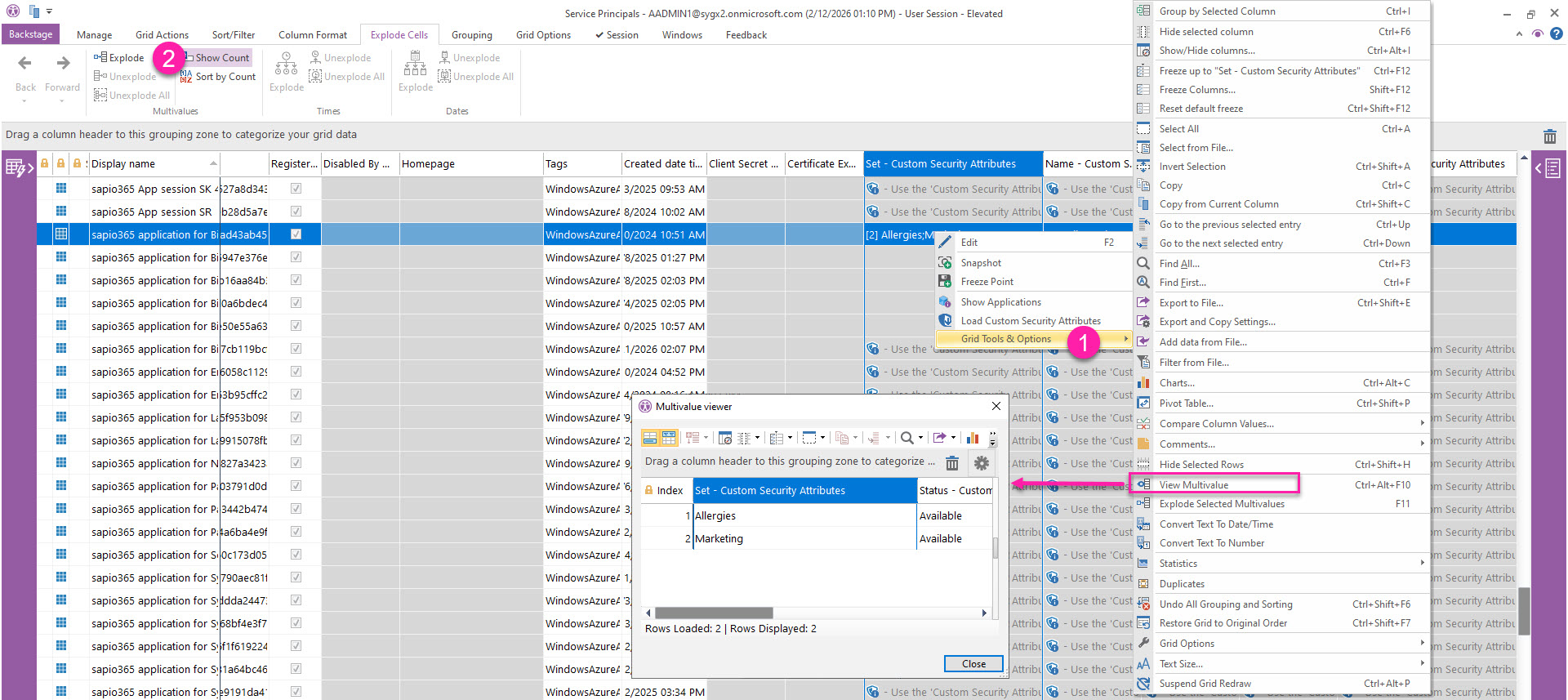
Since Custom Security Attributes are arrays of values, their properties are shown as multivalue cells.
-
You can isolate each property by viewing them through the right-click menu.
-
You can explode them to individual rows in the grid through the right-click menu or from the ribbon.