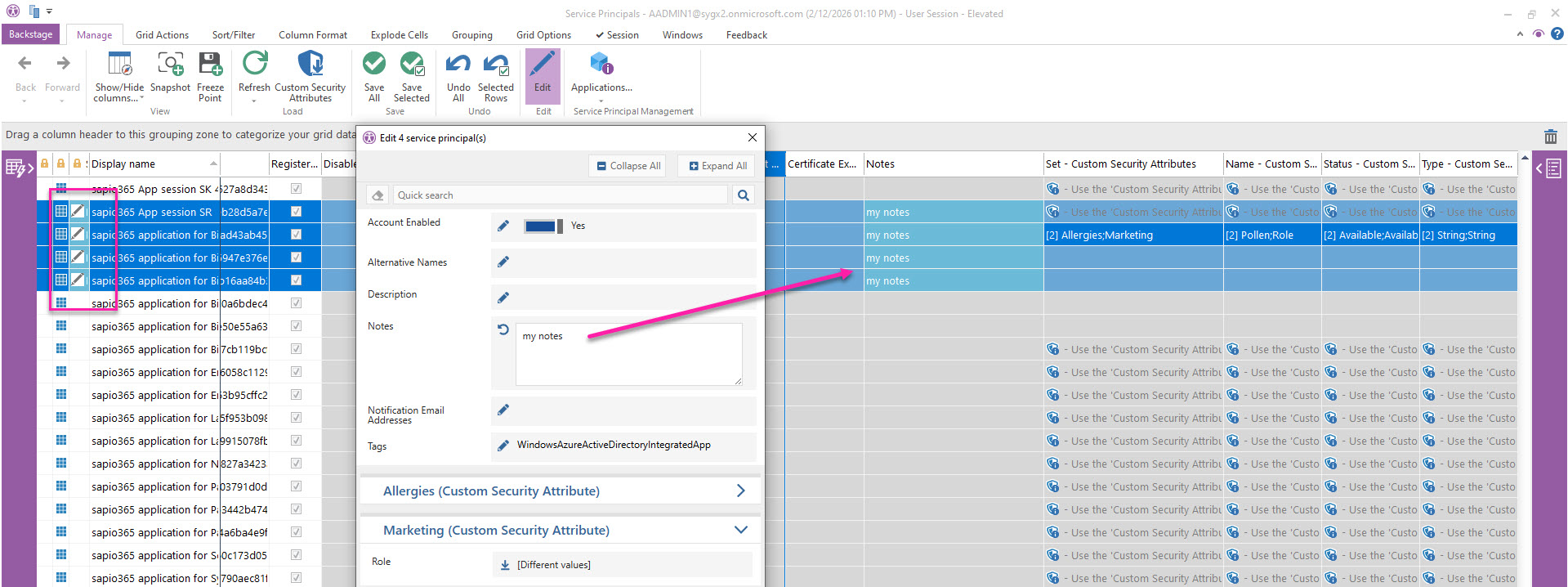
Besides updating Custom Security Attributes of service principals, you can modify the following properties:
|
Account Enabled |
|
Alternative Names |
|
Description |
|
Notes |
|
Notification Email Addresses |
|
Tags |
How to edit service principals
-
Select one or more service principals you want to update.
-
Click Edit, then use the pencil icon next to each field to change its value for all selected entries.
When you apply your changes, a preview appears before saving them to the server. In the preview, indicators include:
-
A green background highlighting the new value
-
A pencil icon displayed in the status column on the left
Before you can edit Custom Security Attributes, you need to load them first.