If you are using a sapio365 MSP license, the list of tenants you manage is updated every time you connect to a new tenant with that license. If there are tenants you no longer manage, you can remove them from your sapio365 license to free up user capacity.
Remove tenants
-
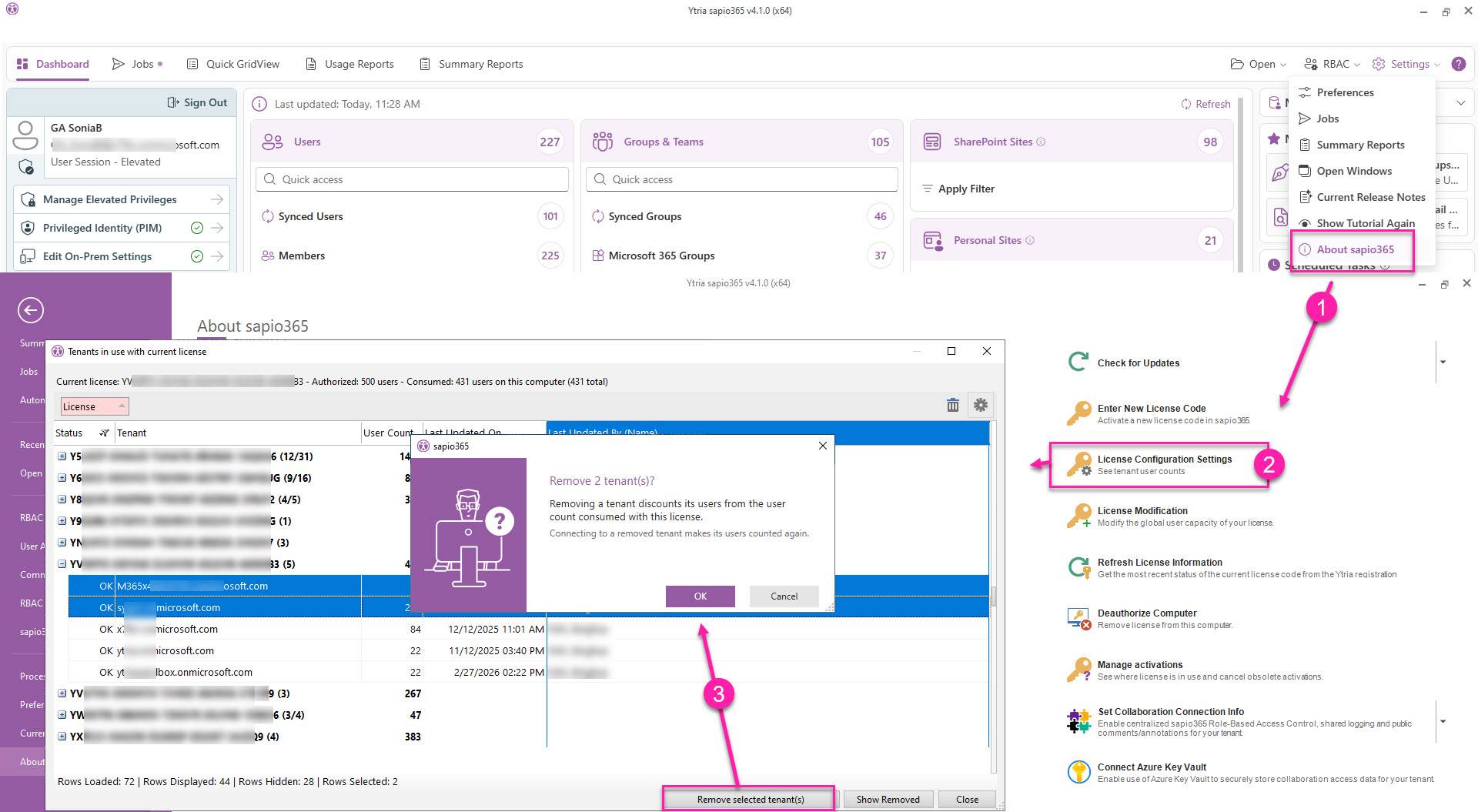
Go to Settings → About sapio365.
-
Click License Configuration Settings.
-
Select the tenants you want to remove, then click Remove selected tenant(s).
After removing these tenants, you can adjust the user capacity of your sapio365 license if needed.
If a sapio365 user later connects to a tenant that was removed from this license, the tenant is automatically added back to the list of configured tenants, which may push the license over capacity.