You can use certificate-based authentication in sapio365 instead of secret-based authentication for the registered application configured for your sapio365 App session.
How to switch to Certificate-Based Authentication in your App session
Editing an App Session is only available in the User Session where the App Session was created and only if that user is allowed to create App Sessions.
For security purposes, App Sessions cannot be edited while in an App Session.
-
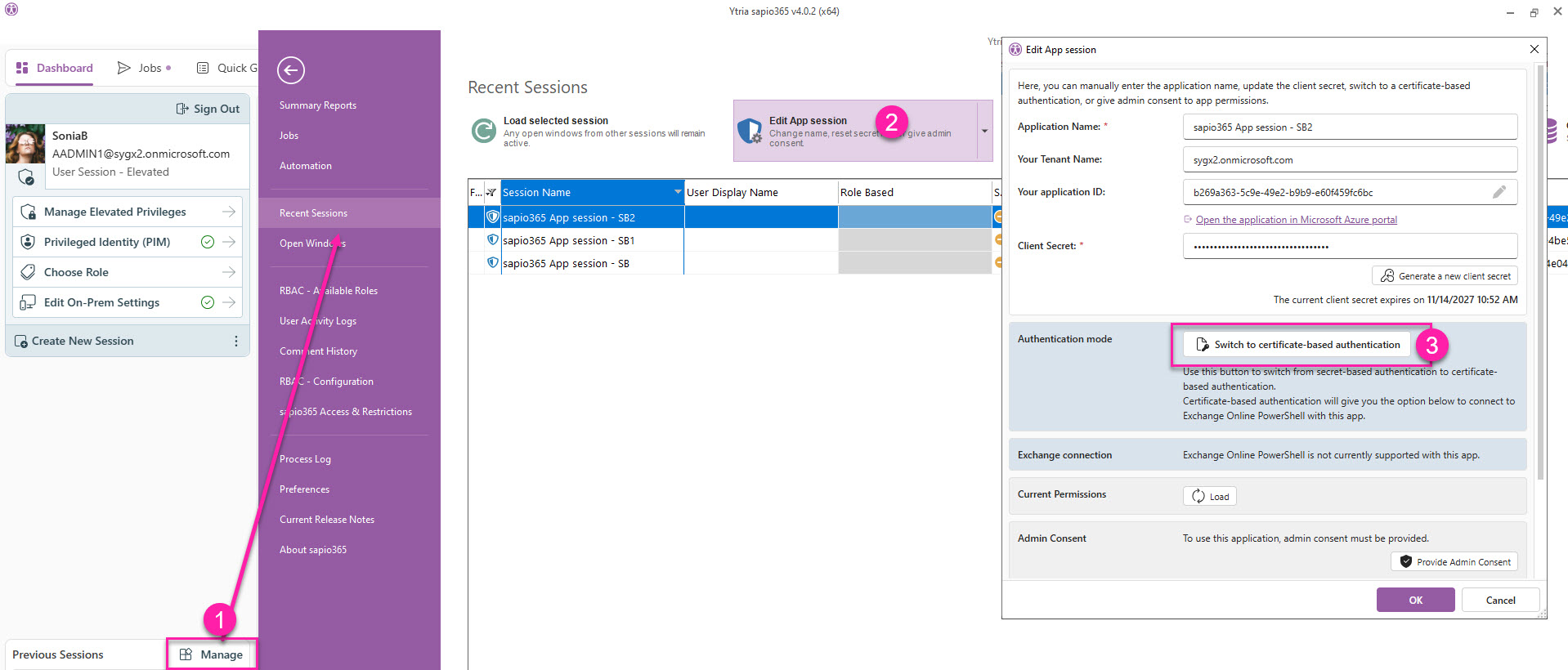
From the Dashboard, click Manage in the left-side panel.
-
From the list, select the App Session you want to edit and click Edit App session.
-
Click Switch to certificate-based authentication and follow the prompts (expand the section below for step-by-step instructions).
Steps
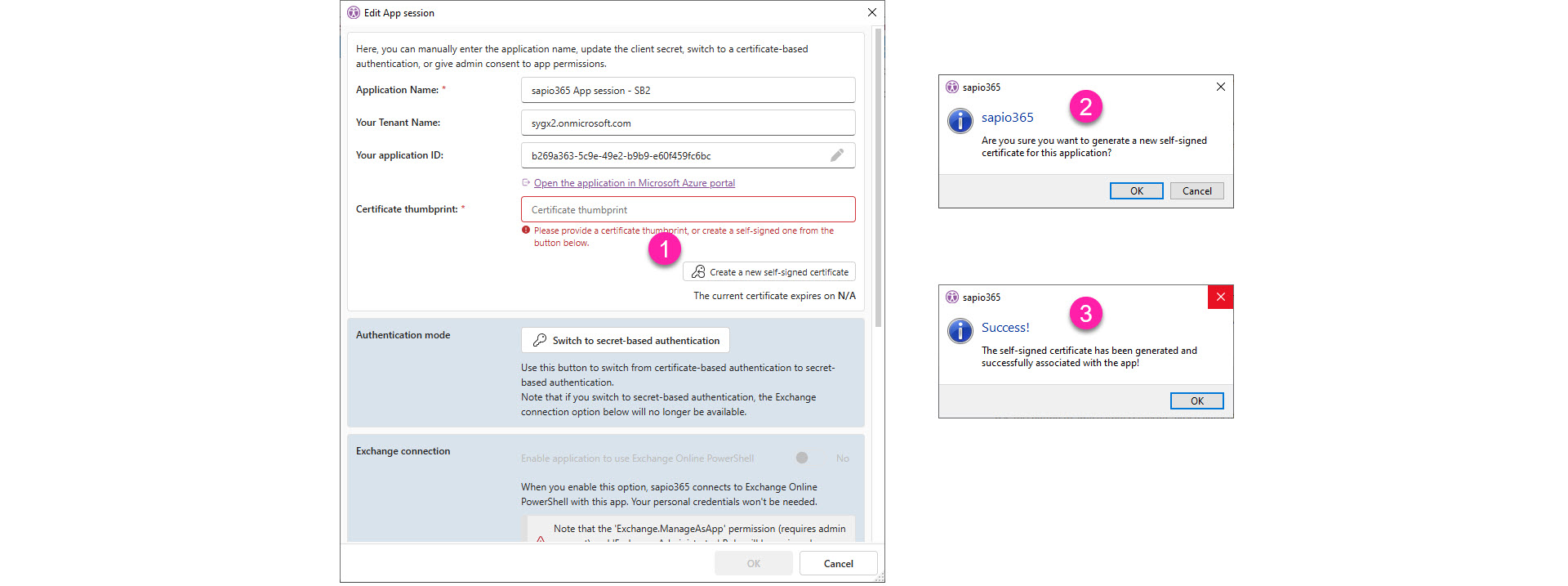
Once you’ve clicked Switch to certificate-based authentication, you’ll be asked to enter a certificate thumbprint.
-
Alternatively, you can generate one by clicking Create a new self-signed certificate.
-
Confirm by clicking OK.
-
You’ll see a success message that the certificate was generated. Click OK to close the message window.
OPTIONAL - Enable application to user PowerShell
This option allows the application to seamlessly connect to PowerShell Exchange, SharePoint and Compliance Search for sapio365 features that require it.
-
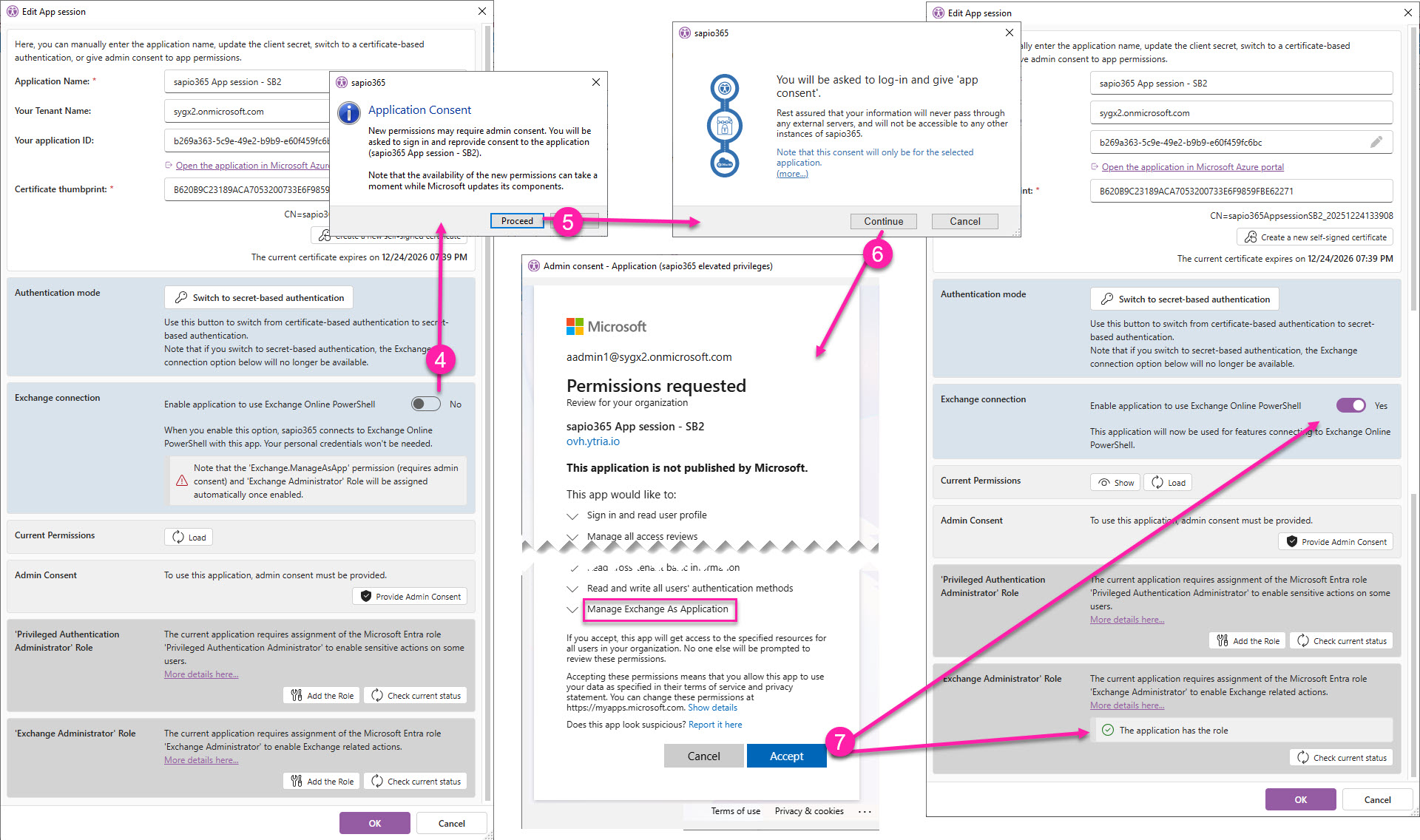
Toggle Enable application to use Exchange Online PowerShell to YES.
Note that the ‘Exchange.ManageAsApp’ permission (requires admin consent) and ‘Exchange Administrator' Role will be assigned automatically once enabled.
-
Click Proceed to sign-in and give consent to the new permission.
-
Click Continue.
-
Click Accept to consent to the updated permissions list. You’ll see the changes in the configuration dialog confirming the use of PowerShell by the application.