When you create a sapio365 RBAC role for license management, you can optionally limit how many Microsoft 365 licenses a user with that role is allowed to assign.
This lets you delegate license assignment safely by preventing delegated admins from consuming more licenses than you intend, helping to control costs and avoid over‑allocation.
How to set Microsoft 365 license assignment restrictions
-
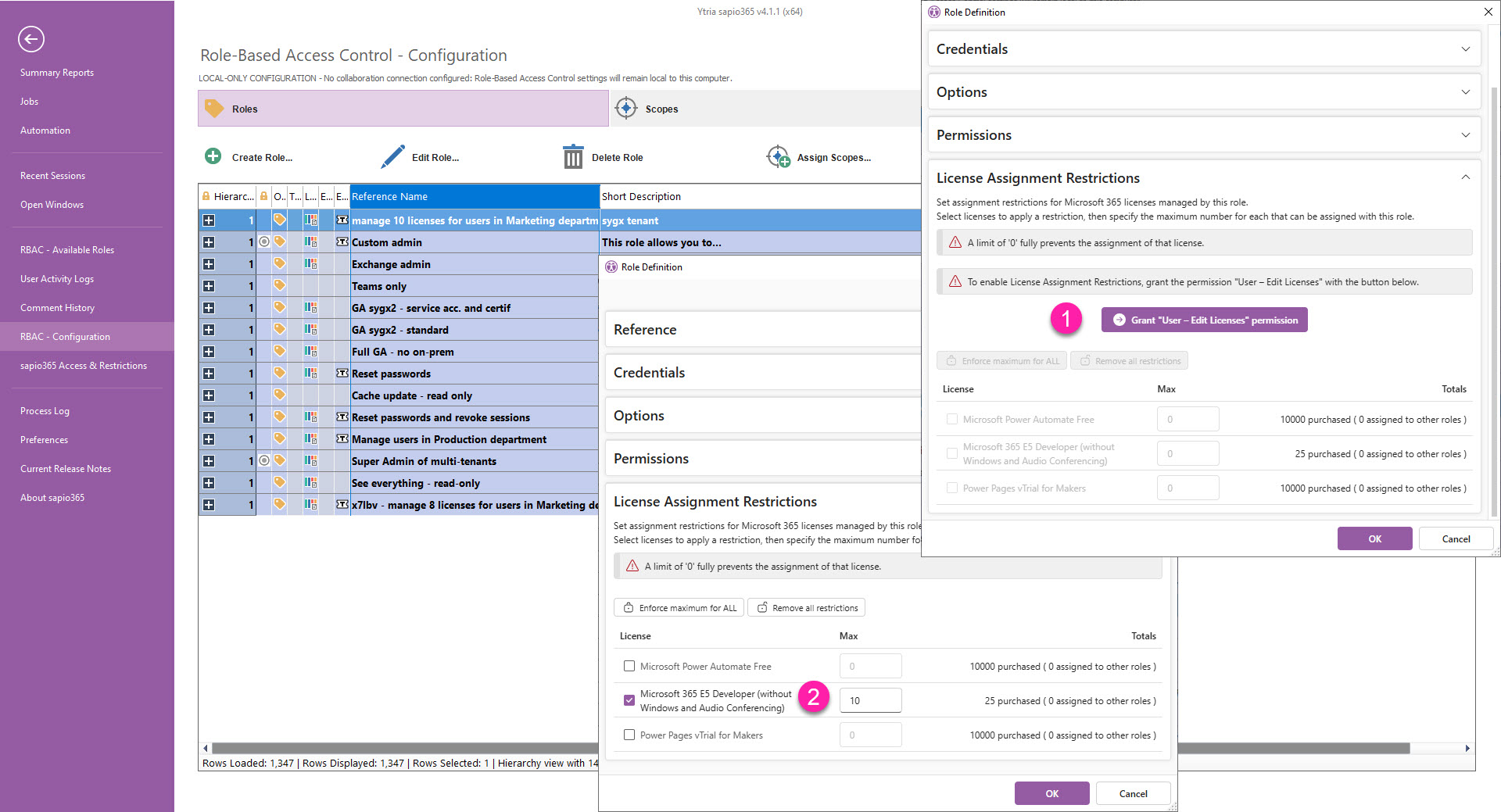
You must include the ability to edit licenses in the Permission list for this role. Click the Grant “User - Edit Licenses” permission button, which appears only if that permission has not already been set.
-
Next, select each Microsoft 365 license you want to restrict and enter the maximum number of assignments that this role is allowed to make for that license.
For each Microsoft 365 license, you’ll see how many license assignments have already been allocated to other sapio365 RBAC roles, so you can avoid overcommitting a given pool.
There are no restrictions for licenses that have not been selected.