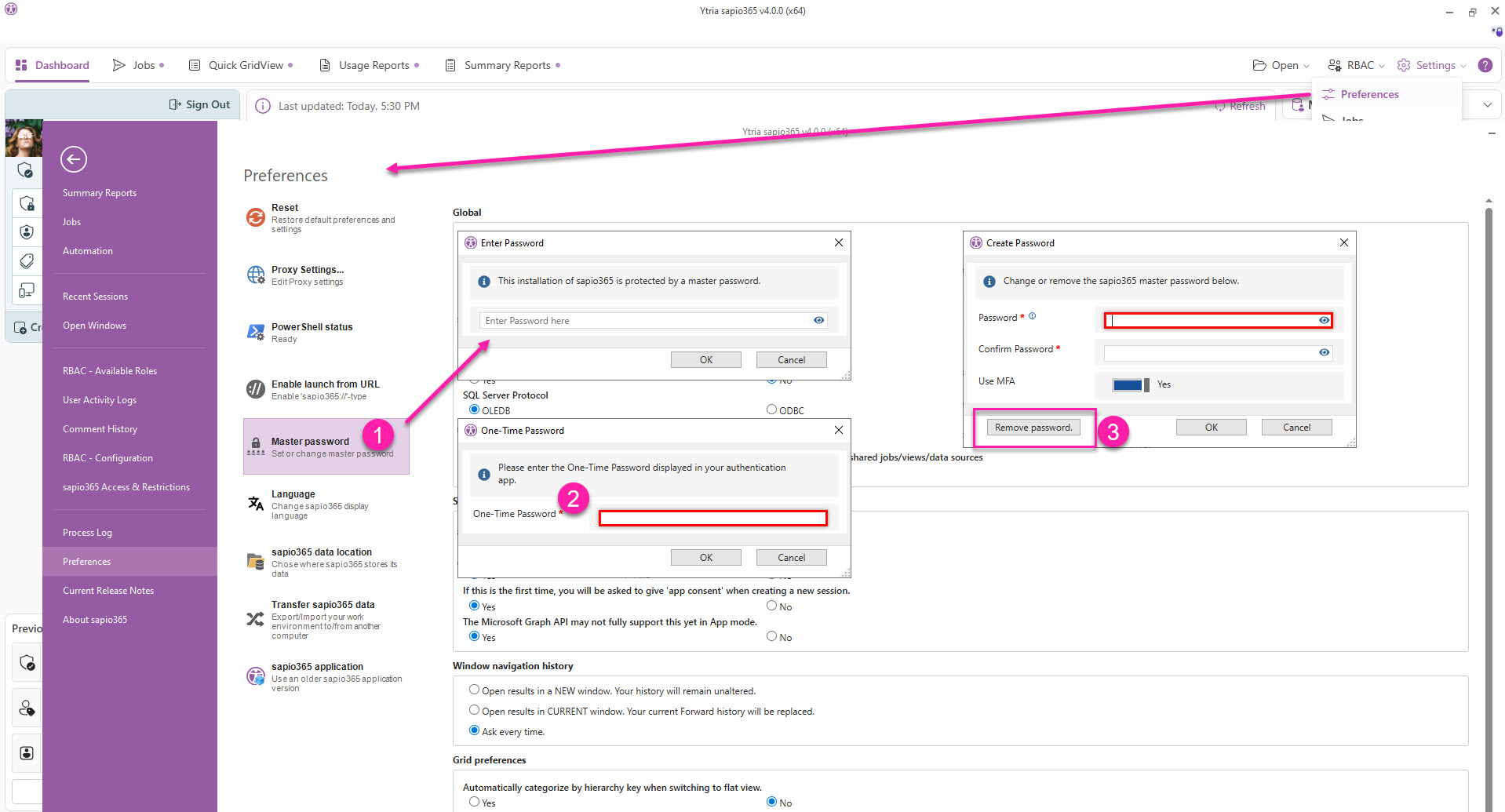
To change or completely remove the password, you’ll need to unlock sapio365 first.
Change password
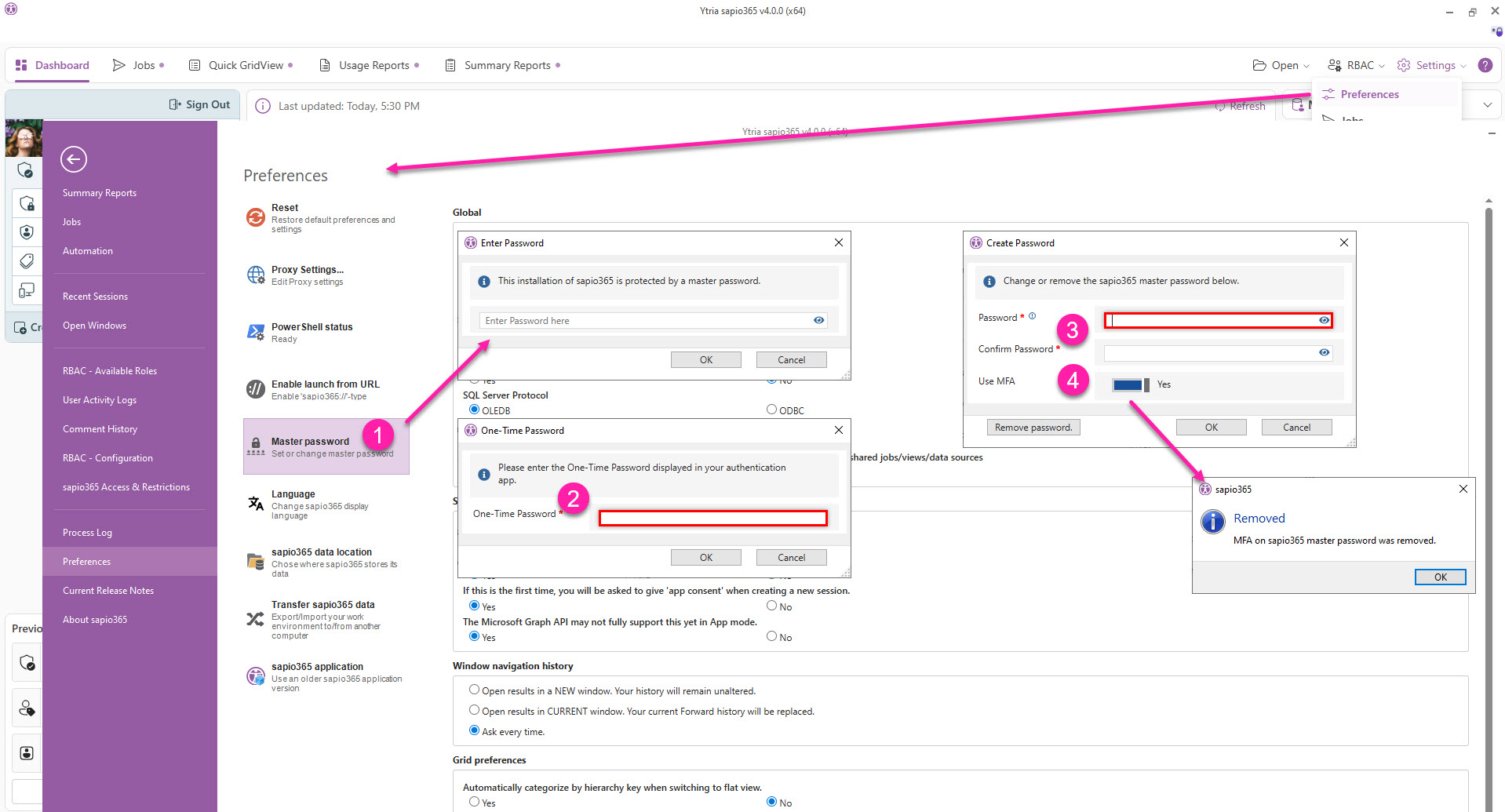
To change the master password:
-
Go to ‘Preferences’ and click ‘Master password’ to enter the current master password
-
Enter the one-time password if you’ve enabled MFA.
-
Enter a new password twice and click OK.
-
If you disable MFA, you’ll see a confirmation dialog.
Disable lock and remove password
To unlock sapio365 for good, you must remove the password.
-
Go to ‘Preferences’ and click ‘Master password’ to enter the current master password
-
Enter the one-time password if you’ve enabled MFA.
-
Click ‘Remove password’.
The ‘Master password’ button will become white and the small lock icon will no longer be displayed in the top right corner of every window.