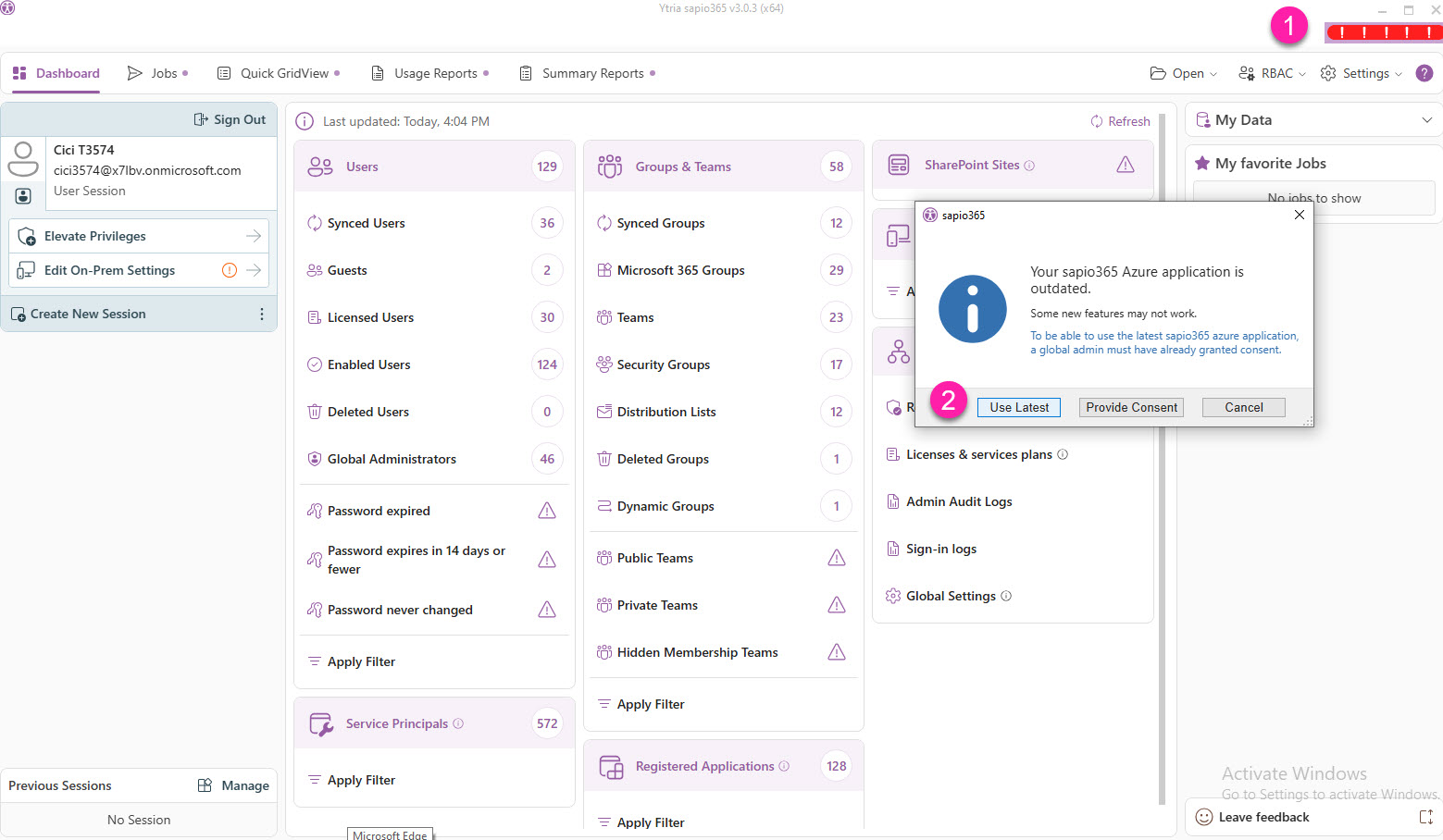
With some sapio365 updates, new permissions are added to the sapio365 enterprise application to enable new features.
These updates require adding a new sapio365 enterprise application version to your Entra by consenting to its permissions.
Updating to the latest version is highly recommended.
A global admin must give admin consent to the new application for users to switch to the updated version of sapio365.
If obtaining admin consent is not possible at the moment, or if you wish to forgo the update temporarily, you can keep using the older version.
If you’re not a global admin
If you update sapio365 and consent has not yet been given to the new sapio365 application, you will see the ‘Need admin approval’ message in the image below when you sign-in.
-
Contact a global admin to obtain consent.
-
Click on ‘Return to the application without granting consent’ to continue using the previous version of sapio365.
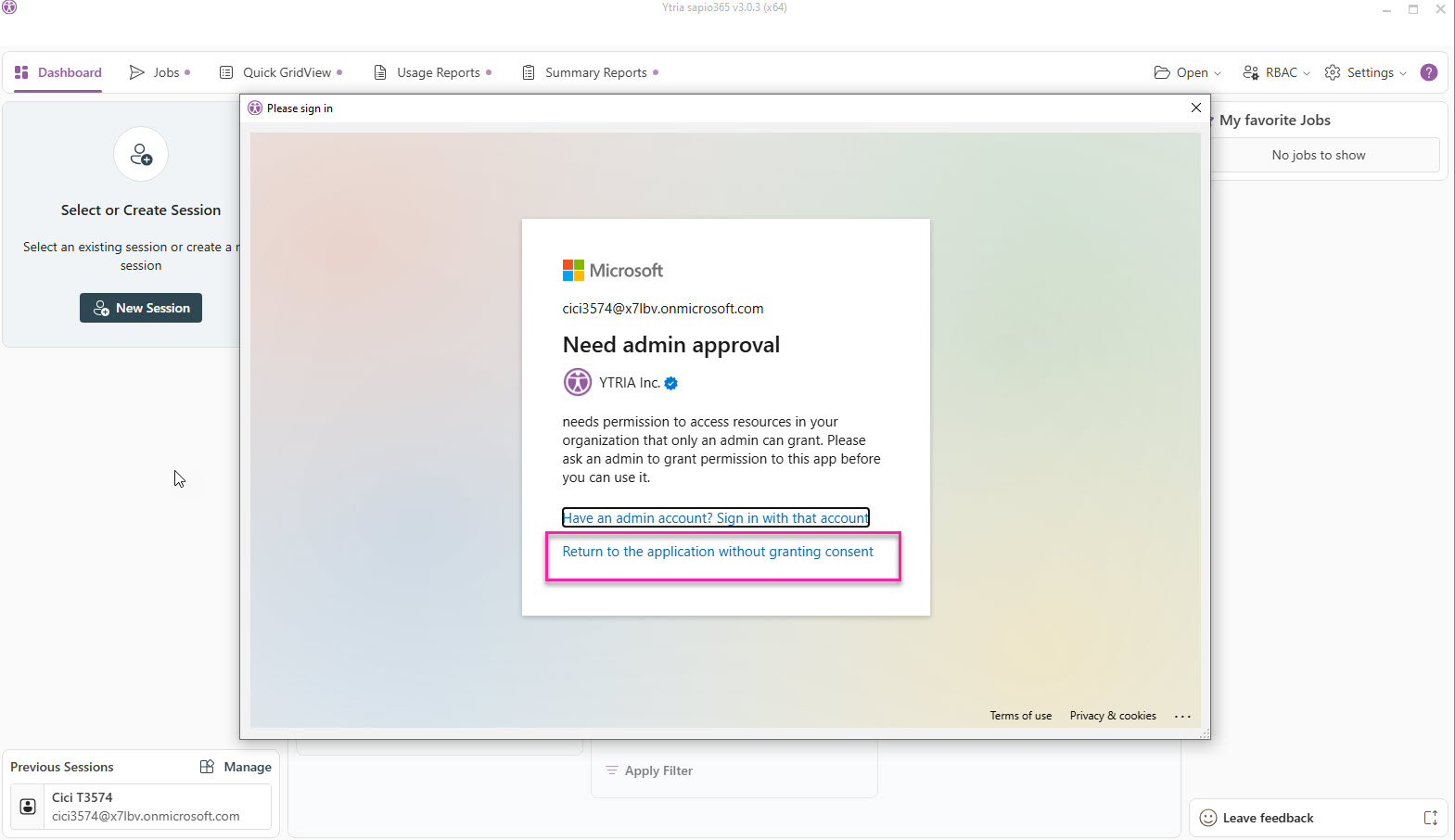
You will be asked to sign in again since it’s switching applications -> back to the older version.
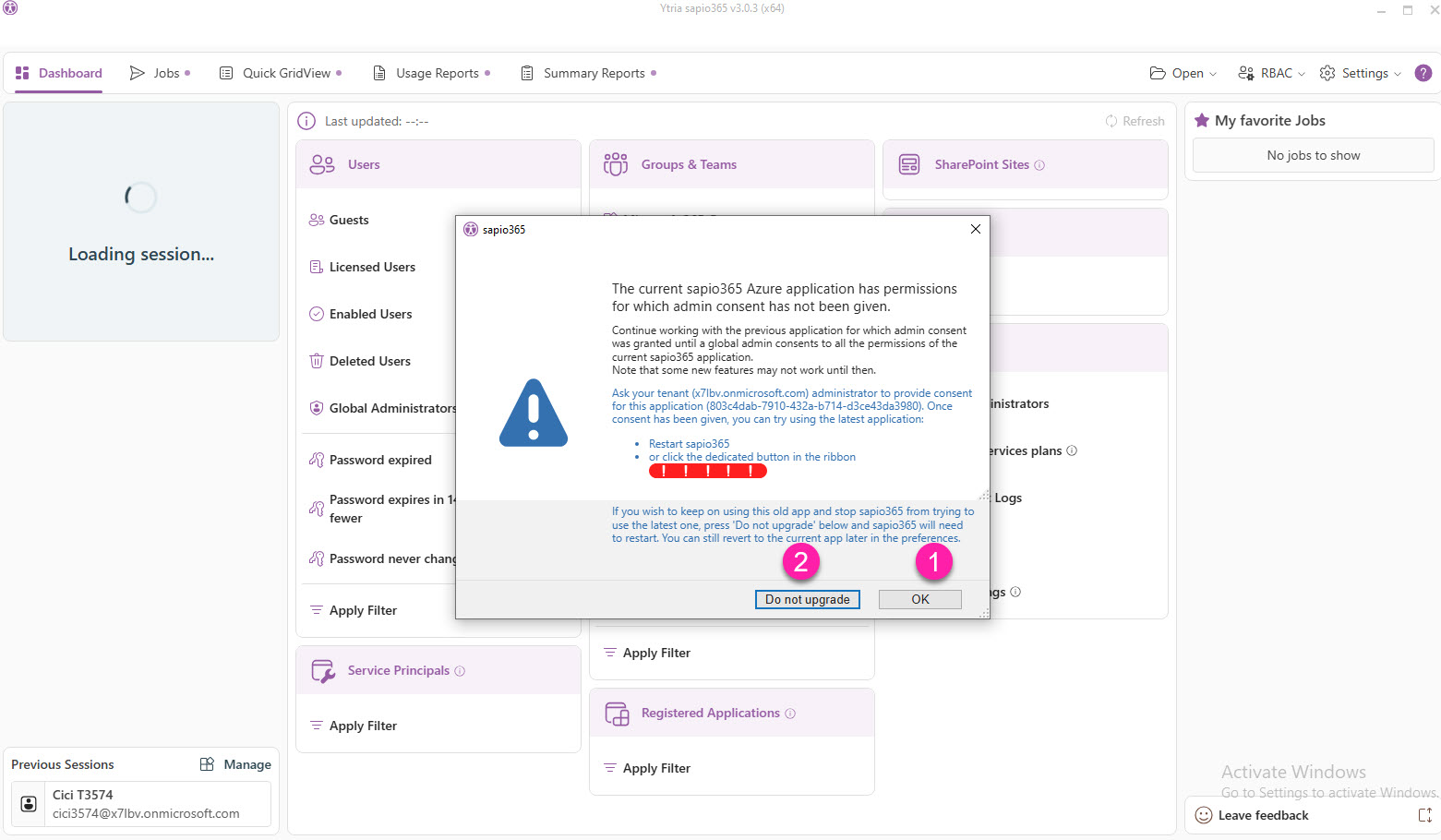
After signing in, you’ll see the message below with 2 options to continue to use the older version:
-
Click ‘OK’ to be reminded to update.
If you click ‘OK’, red bars will be shown in the top right corner to remind you that an update is available. Click on them when you’re ready to update.
-
Click ‘Do not upgrade’ to avoid being prompted to update.
This is equivalent to setting the older version of sapio365 to use in Preferences.
When you’re ready to update, you can set that preference for the default application version (latest).
Ready to update sapio365
If you had previously decided to continue using an older version of sapio365 but you are now ready to update, or if you know that consent has been given to the new sapio365 application, you can:
-
Click on the red bars at the top right corner.
If you don’t see the bars, switch to the latest version in Preferences.
-
Click ‘Use Latest’. This will switch to the latest sapio365 version.
If you’re a global admin, you can give consent from here by clicking ‘Provide Consent’.