To analyze your views more comfortably, you can increase (Wide) or decrease (Narrow) the size of the values you see in your grid views.
This setting affects ALL grids, including those used in directory selection dialogs, for every instance of sapio365.
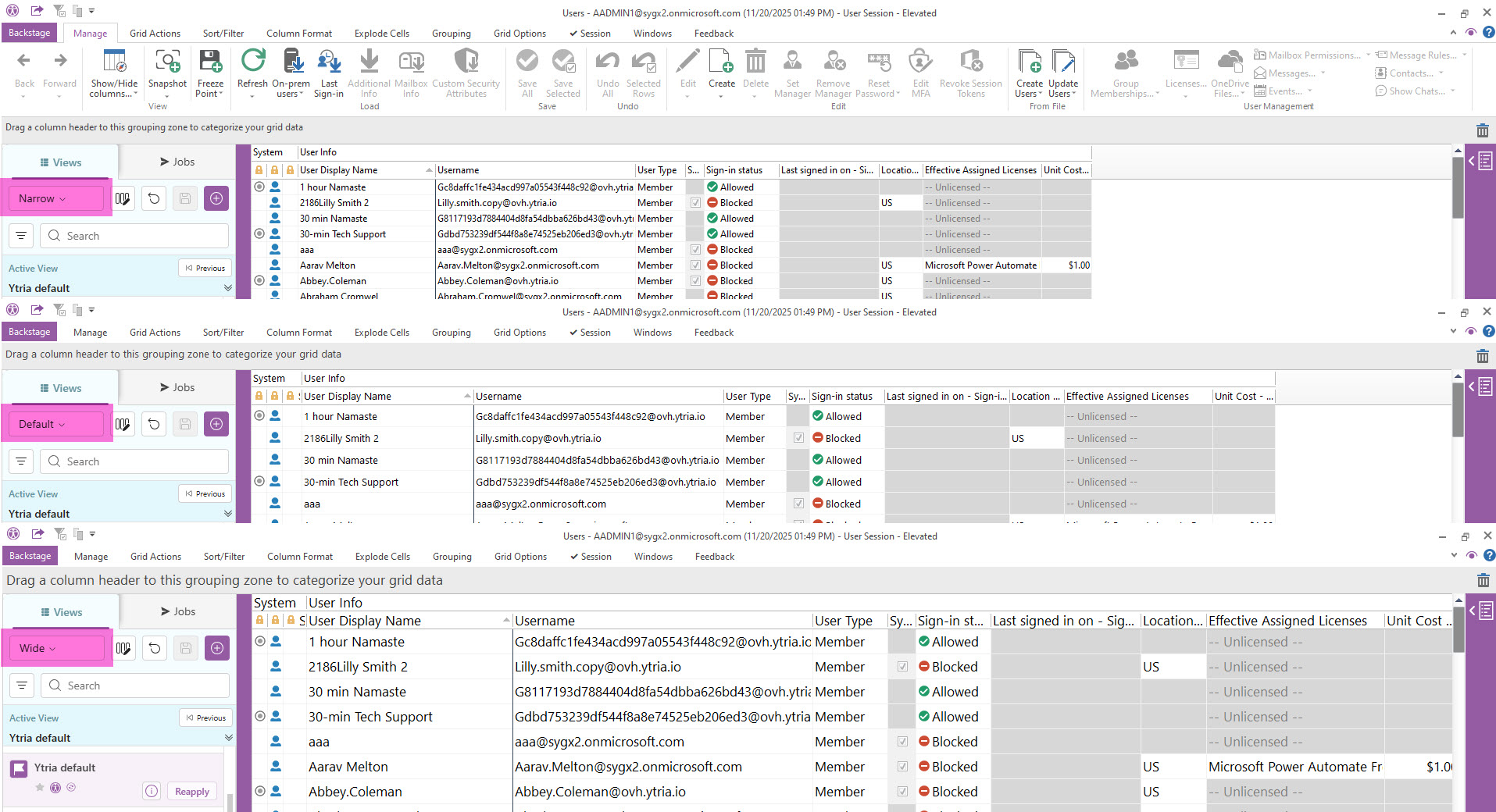
How to change the size of grid data
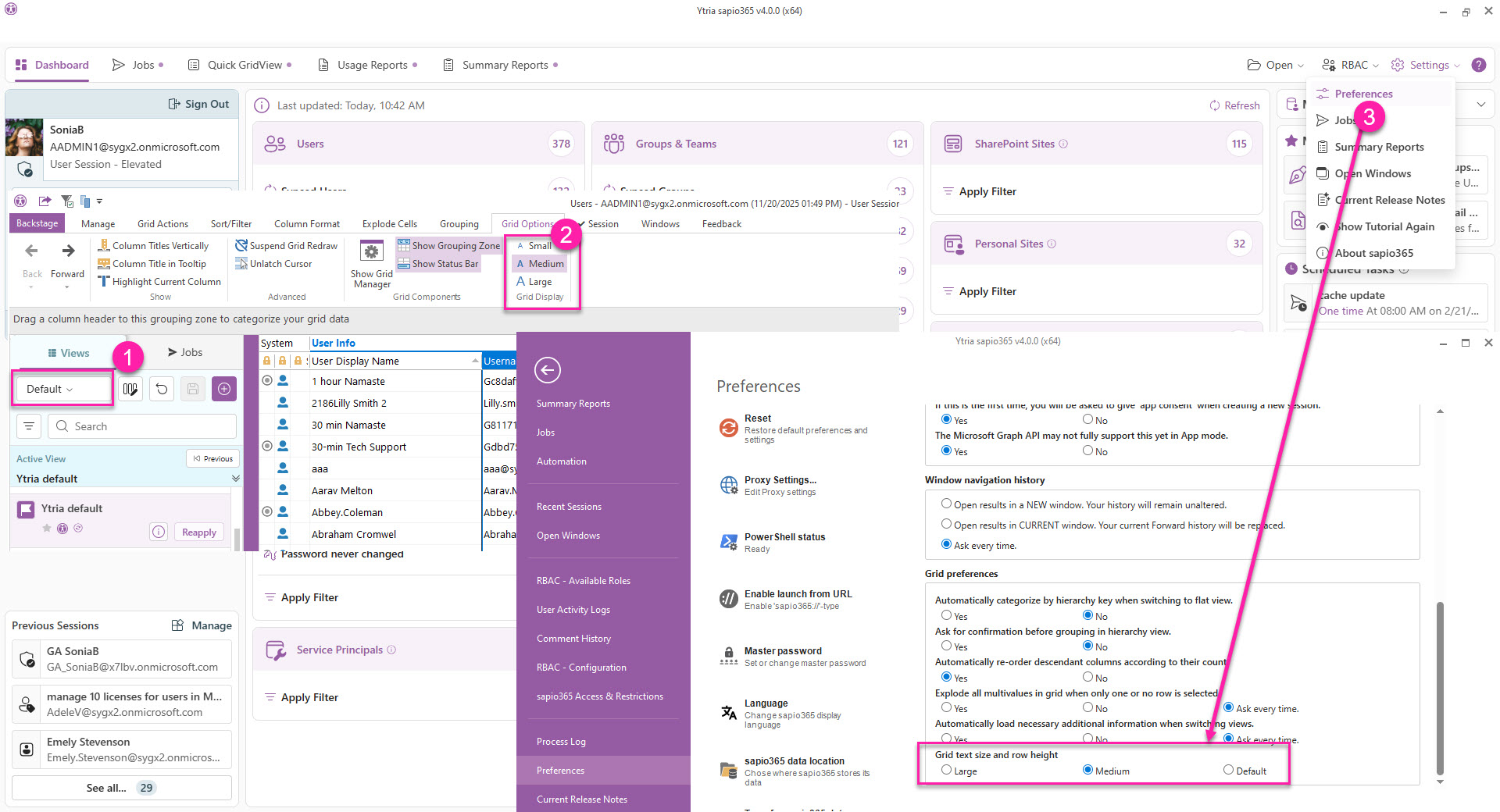
There are 3 places where you can update the grid data size (see image below):
-
In any view, in the Views panel on the left, click on the current size to select another from the dropdown menu.
-
In any view, go to Grid Options → Grid Size and select a size.
-
In Settings → Preferences, select the size from the last Grid preferences option.