
Sorting, filtering, formatting and grouping all your Microsoft365 data in one place.
Actions in the Data Viewer
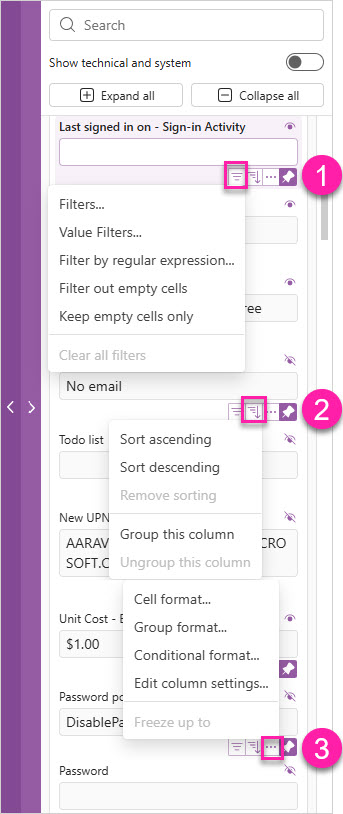
Apart from the bottom section that displays the applied filters and the options to add or hide properties in the grid, here’s what you can do with each property in the Data Viewer.
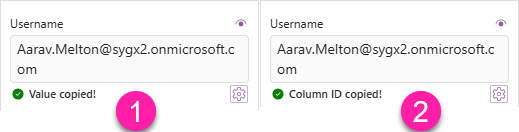
Copy a value or Column ID - Shortcuts
Use keyboard shortcuts to:
-
Copy a property value with Ctrl + Click
-
copy a Column ID with Alt + Click
|
Button |
Action |
|
|---|---|---|
|
1 |
|
Filters...
|
|
2 |
|
Sort ascending
|
|
3 |
|
Cell format...
|


