Suspend Grid Redraw is a GridView feature that temporarily pauses grid processing after filters, sorting, and grouping.

When enabled, sapio365 preserves your current grid configuration but does not redraw or reprocess the grid after each individual action. This helps avoid unnecessary processing time while you make multiple changes to the view.
This feature is particularly useful when working with large GridViews. For example, when filtering exploded file-permission properties that create a large number of rows.
Why Use It
With Suspend Grid Redraw enabled, you can complete a sequence of grid actions without waiting for the grid to process each change individually. When you disable the feature, sapio365 applies all pending changes at once.
Use Suspend Grid Redraw when:
-
The grid contains a large number of rows.
-
Filtering, sorting, or grouping takes noticeable time.
-
You need to configure a complex view through several consecutive actions.
How to Use Suspend Grid Redraw
-
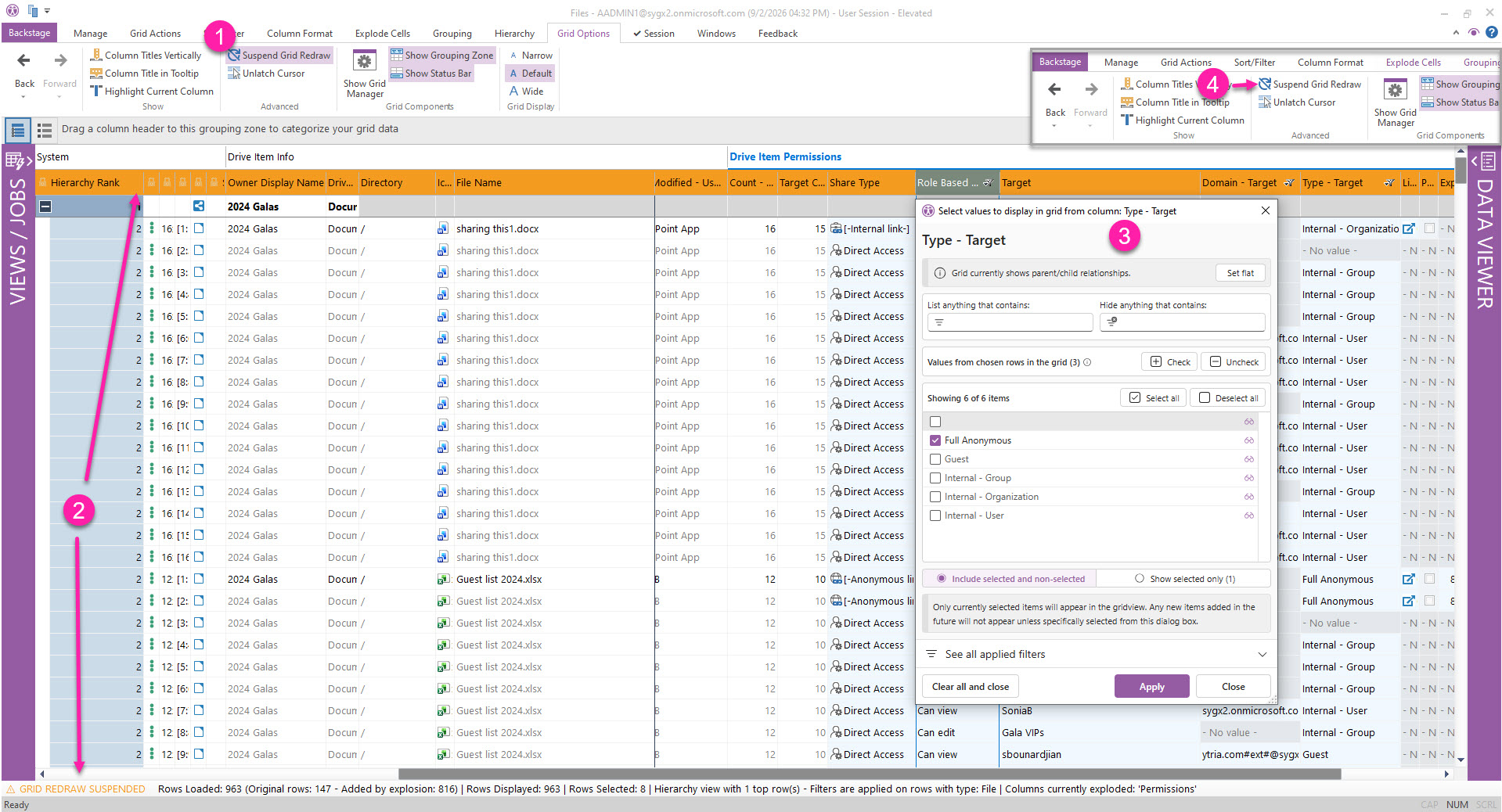
Before applying filters or other column operations, click Suspend Grid Redraw or press
Ctrl+Alt+P. -
Confirm that grid redraw is suspended:
-
The Suspend Grid Redraw button is purple.
-
Column headers are orange.
-
The bottom-left status bar displays GRID REDRAW SUSPENDED in orange.
-
-
Apply the filters, sorting, grouping, or other grid actions needed to configure your view.
-
When you finish, click Suspend Grid Redraw again or press
Ctrl+Alt+Pto disable it. sapio365 then processes the applied filters, sorting and grouping, and redraws the grid once.